
If you’ve ever opened the WordPress editor and hesitated at the “Tags” field, you’re not alone. Many content creators add a few random words, hoping it helps SEO. Others skip it because they aren’t sure what it actually does. The result is a feature that’s widely used but rarely understood.
Tags don’t increase rankings on their own, yet they play an important role in how users and search engines move through your site. The reality is simple: since organic search remains the dominant source of trackable web traffic, accounting for over 53% of all website traffic, the way your content is organized matters more than ever.
Used correctly, tags act like signposts that connect related ideas and guide people toward more of your content. Used carelessly, they can create piles of thin pages that weaken your site.
This guide explains how tags work, the risks they create, and the exact steps needed to turn them into a clean and helpful part of your site structure.
What are WordPress Tags?
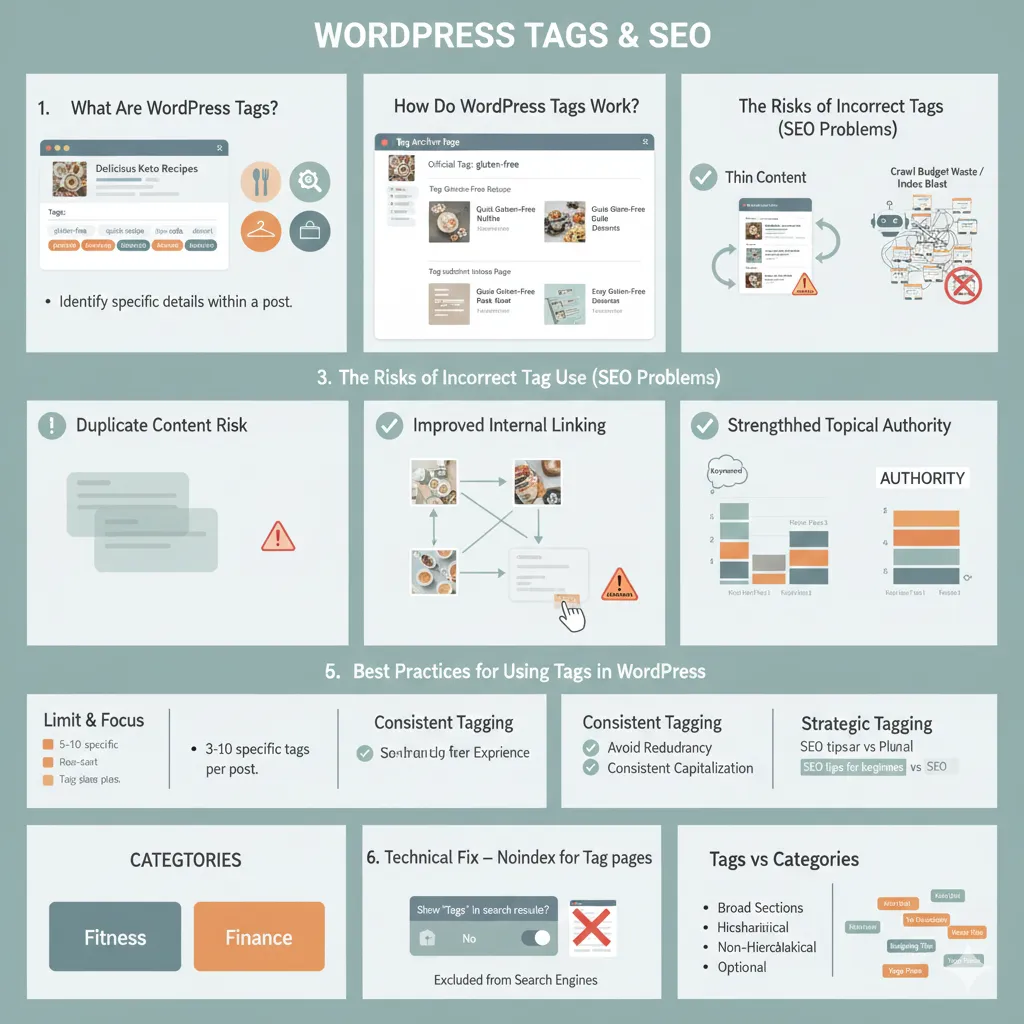
WordPress tags are optional labels you can add to a post to describe very specific details about the content. They belong to a non-hierarchical taxonomy, which means they have no parent or child structure. Each tag stands on its own.
Tags work like detail markers. They highlight the exact topics, keywords, or elements covered in a post. For example, if your post is placed in the “Desserts” category, you might use tags such as “gluten free,” “quick bake,” or “holiday recipe” to show the finer points of that post.
Key Characteristics of Tags
Below are some key characteristics of tags including;
Optional
Unlike categories, which every post must have, tags are completely optional. A post can have zero tags without causing any issues.
Placement
You’ll usually see tags at the bottom of a post, in the sidebar, or sometimes in the footer. They serve as clickable links, helping readers jump to other posts that cover the same detail or topic.
Purpose
The main purpose of tags is to help users find related content quickly. They create small, focused pathways between posts that may live in different categories but share a common detail.
You can think of tags the same way you think of the index in a book. The index lists important terms and tells you exactly where each one appears throughout the pages. WordPress tags serve that same function for your website content.
How Do WordPress Tags Work?
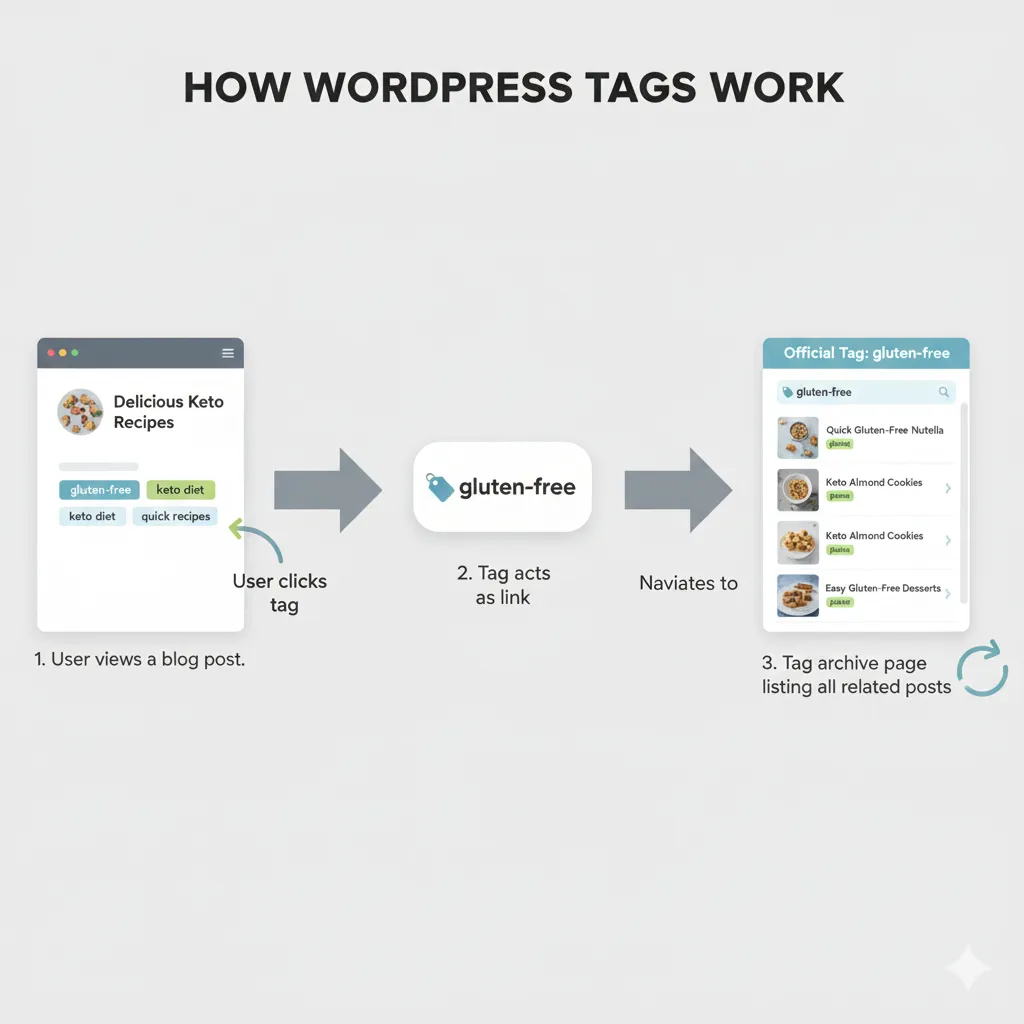
WordPress tags are simple to use, but the way they operate can lead to SEO trouble if they’re not managed with care.
Tag Archive Pages
When you create a tag and add it to your posts, WordPress builds a tag archive page on its own. This page lists every post using that tag. Visitors who click a tag are taken to this archive to view related content.
Where the SEO Problems Start
The automatic creation of tag archive pages leads to two common technical problems.
Duplicate Content
Tag archives often repeat the same content that already appears on the post page, the category page, and the blog archive. Search engines prefer to rank the original version rather than multiple copies across your site.
Thin Content
Most tag archive pages show short excerpts and nothing else. Since there’s no unique or helpful content on these pages, search engines see them as thin. If your site has a large number of these pages, it can weaken your site’s overall quality signals.
Crawl Budget and Index Bloat
For larger sites, tag archives can turn into a long-term SEO burden. These include;
Crawl Budget Waste
Search engines only spend a limited amount of time crawling each site. When they repeatedly crawl unnecessary tag archive pages, they’re wasting time that could be spent crawling your important pages.
Index Bloat
If search engines index these low-value pages, your index gets cluttered. This makes it harder for your key pages, such as important articles or landing pages, to get crawled and ranked efficiently.
Because of these risks, the default behavior of WordPress tags often creates more SEO harm than benefit until proper technical settings are applied.
Are WordPress Tags Good for SEO?
WordPress tags do not boost rankings on their own. Search engines don’t treat them as a ranking factor. Still, they can support SEO in helpful ways when used with the right technical setup and a consistent tagging approach.
Tags improve how your content is connected, how people navigate your site, and how search engines understand your topic coverage.
Indirect SEO Benefits When Tags Are Used Correctly
| SEO Benefit | How Tags Help |
| Improved Internal Linking | Tags link related posts across your site, even if they sit in different categories. This helps crawlers move through your pages and spreads ranking signals. |
| Enhanced User Experience | Tags give readers quick access to more content on a very specific topic, which encourages longer sessions and more page views. |
| Strengthened Topical Authority | When several posts share the same tag, search engines see a clearer pattern of topic depth, which supports your overall subject expertise. |
These advantages only show up when tags are used with care and after applying the required technical fix that prevents SEO issues from default tag behavior.
The Technical Imperative
Tags only become useful once you remove the SEO risk that comes with them. The biggest issue is duplicate content, and the only reliable fix is to stop search engines from indexing tag archive pages.
This is done by adding a noindex directive to all tag archives. Search engines then ignore those pages, but your visitors can still use tags to move around your site.
Without this step, the drawbacks of tag archives are far greater than any small benefit you might get from them.
Tags vs Categories: Key Differences
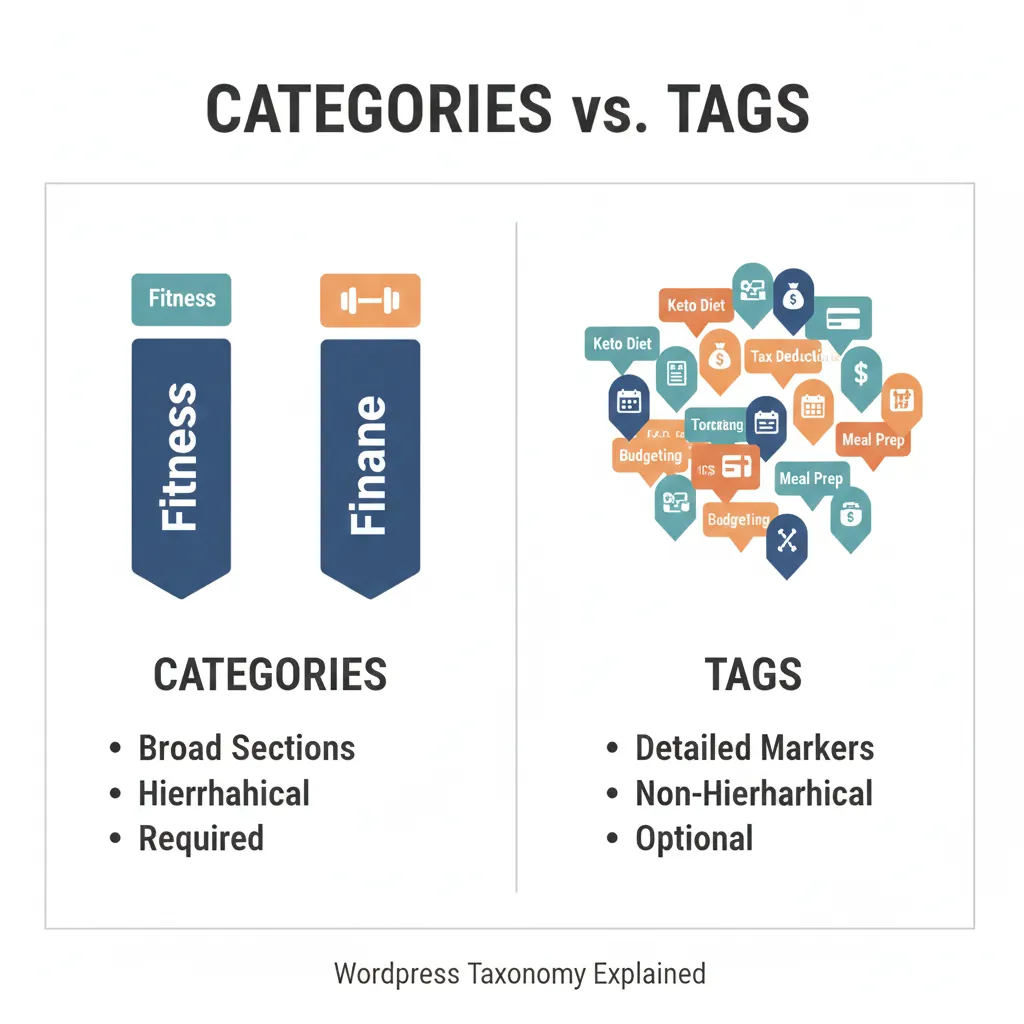
To use WordPress taxonomy correctly, you need a clear understanding of how tags and categories differ. A simple analogy explains it well:
Categories act like a table of contents. They define the main sections of your site.
Tags act like an index. They point to specific details that show up across multiple sections.
Here are the differences in a structured view:
| Feature | Categories (Broad Pillars) | Tags (Specific Detail Markers) |
| Purpose | Organize major sections and broad topics | Highlight specific details across posts |
| Hierarchy | Hierarchical and supports parent/child relationships | Non-hierarchical and stand alone |
| Requirement | Required for every post | Optional |
| Scope | Broad themes like “Fitness” or “Finance” | Specific terms like “Keto Diet” or “Tax Deductions” |
The Risk of Overlap
One common mistake is using the same word as both a category and a tag. For example, having “Finance” as a category and also using it as a tag. This often leads to confusion for crawlers because it blurs the structure of your site. When that happens, your category pages lose clarity and can even lose ranking strength.
Keeping a clear distinction between categories and tags is essential for clean site organization and stronger SEO performance.
Right Way to Use WordPress Tags
Turning tags into a useful SEO tool requires two steps. First, fix the technical issues. Second, use a disciplined tagging strategy.
The Essential Technical Fix: Noindex
Before anything else, you must stop search engines from indexing tag archives. These pages often contain duplicate and thin content, which harms technical SEO.
Using SEO Plugins to Add Noindex
The simplest way is to use a trusted SEO plugin to apply the noindex directive across all tag archive pages. This lets search engines crawl the pages without allowing them to appear in search results.
Yoast SEO
Go to SEO → Titles and Metas → Taxonomies → Tags, then set tags to noindex.
Rank Math
Go to Rank Math SEO → Titles and Meta, select Taxonomies or Tags, and turn on the noindex robots meta option.
This one setting fixes the core duplicate content issue while still allowing visitors to use your tags for navigation.
Strategic Tagging Discipline
Once the technical fix is in place, follow these best practices to ensure your tags serve a real purpose.
Limit and Focus Your Tags
- Use 3 to 10 Tags per Post
Too many tags create noise, not clarity. A small number of highly relevant tags works best. - Choose Specific, Descriptive Tags
Use detailed terms that clearly reflect what the post covers. For example, “SEO tips for bloggers” is more helpful than “SEO.” - Avoid One-Off Tags
Only create tags that are used on at least three quality posts. A tag used on just one post adds no real organizational value.
Maintain Consistency and Avoid Redundancy
Consistency keeps your taxonomy clean and prevents fragmentation.
- Standardize Your Format
Pick either singular or plural for your tags and stick to it throughout your site. - Keep Capitalization Consistent
Even though URLs are not always case sensitive, consistent formatting helps keep your tag list organized. - Use Tags That Align with Keyword Research
Choose tags based on the phrases your audience already searches for. This keeps your internal organization aligned with user intent and keyword targeting.
Use Tags to Strengthen Internal Linking (Advanced Strategy)
Tags can help build strong topical clusters when used thoughtfully.
- Cross-Category Linking
Tags can link related posts across different categories. For example, a “quick meals” tag can connect a taco recipe from one category with a stir fry from another. - Support Cornerstone Pages
Tags help direct internal link flow. When cornerstone posts link to detailed supporting articles through shared tags, search engines better understand which pages carry the most importance.
Conclusion
WordPress tags are not a direct ranking factor, but they can improve your SEO indirectly through better structure and stronger internal linking. Their default behavior creates thin, duplicate archive pages, which makes the noindex directive essential for technical health.
After applying noindex, focus on strategy. Use a small number of specific, relevant tags, avoid repeating your category names, and maintain consistent formatting. When managed correctly, tags guide users through your content more smoothly and help search engines understand your topic coverage, leading to clearer site structure and stronger topical authority.