
Alternative text, or alt text, is often seen as a small technical detail, but it plays a key role in digital content. It has two main purposes. One, it makes websites accessible to visually impaired users and second, it provides important information to search engines. Despite this, many websites still miss the mark.
Studies show that around 21.6% of images on homepages do not have proper alt text. Missing alt text not only makes sites harder to use for some people but also reduces their visibility online.
This guide explains how using alt text correctly can improve your website’s SEO, make it more user-friendly, and reduce legal risks, turning a small detail into a powerful tool for success.
What Is Alt Text

Alternative text, often called alt text, alt attribute, or alt description, is a short, descriptive piece of text that explains the meaning of an image in digital content. It is more than a label, it acts as a clear, informative substitute for the image itself.
The Technical Side of Alt Text
Alt text is included in the alt= attribute of an HTML <img> tag. When a browser loads a page, it reads this attribute to understand what the image represents.
For example, the HTML structure looks like this:
<img src=”imagetitle.jpg” alt=””>
Placing the description this way links it directly to the image, making it useful for SEO and digital tools that rely on textual information.
The Main Purpose: Accessibility for Screen Readers
The most important role of alt text is to make content accessible, especially for people with visual impairments. Users who are blind or have low vision often use screen readers to interact with websites.
When a screen reader reaches an image, it reads the alt text aloud, effectively “painting a picture with words.” Without alt text, these users miss key information, making the content incomplete.
Providing descriptive alt text ensures that everyone can access and understand your content, which is the primary function of the alt attribute.
The Secondary Purpose: Image Fallback
Alt text also serves as a fallback when images do not load. Slow internet, broken links, or other issues can prevent an image from displaying. In such cases, the alt text appears in place of the image.
This keeps the content meaningful even without the visual, improving usability for all users, especially those with weak internet connections. Alt text, therefore, enhances the overall user experience while supporting accessibility and SEO.
How to Add Alt Text to Images
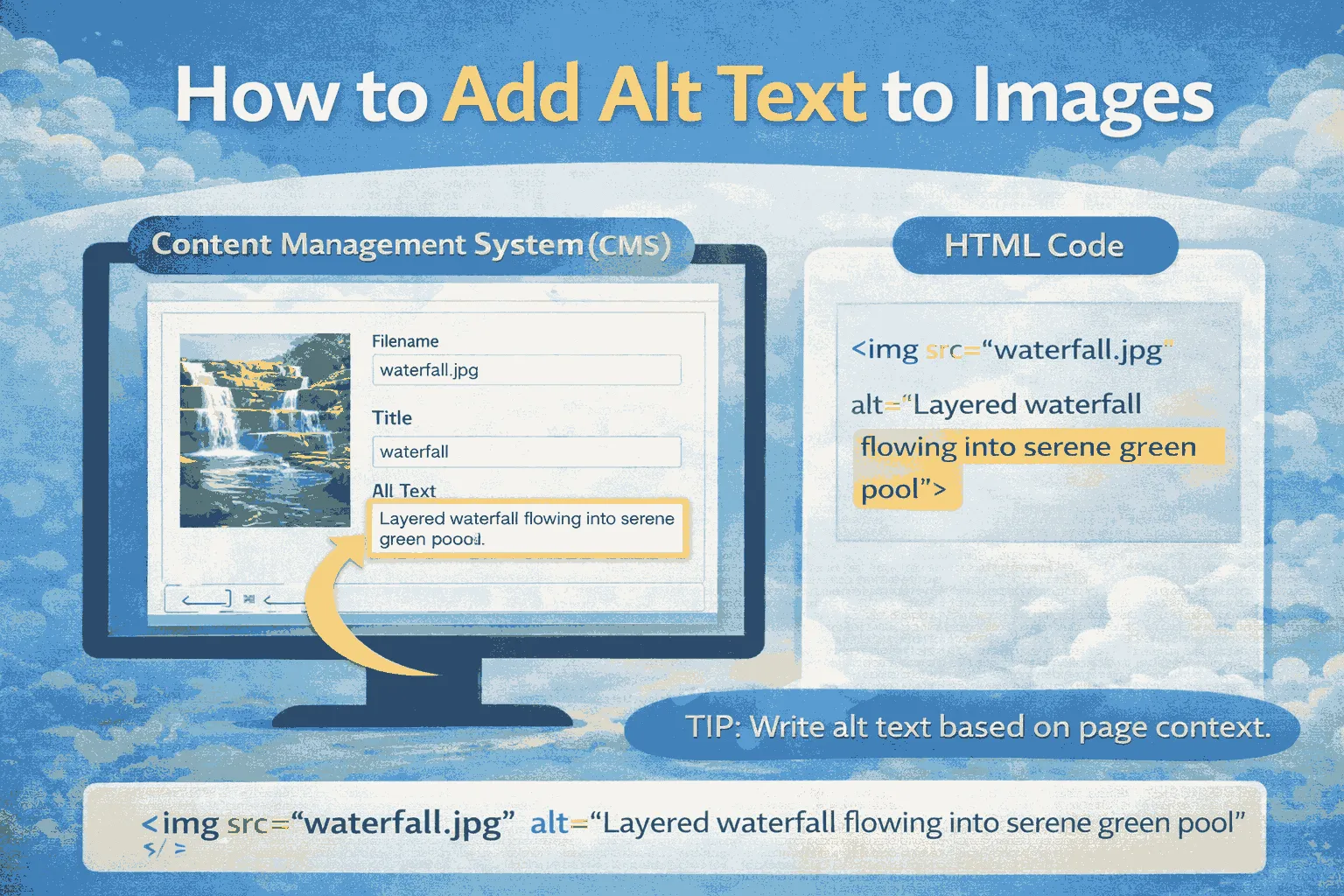
Adding alt text depends on the platform used to create and manage your website. Experts recommend making alt text part of the regular content workflow, no matter what system you use.
Custom Websites (HTML)
For websites built with raw HTML or templates requiring direct code edits, alt text is added manually in the image tag. The process is simple: find the <img> tag and make sure the alt= attribute contains a clear description.
Example:
<img src=”tropical-sunset.jpg”
alt=”A panoramic photograph of a bright orange and purple sunset over a calm ocean”>
This method ensures the description is exactly what you want search engines and screen readers to read.
Content Management Systems (CMS)
Most CMS platforms make adding alt text easier by hiding the code. Instead, they provide a dedicated field for image metadata. In systems like OmniCMS, it may be called “Alternative Description” or simply “Alt Text.”
Standard steps:
- Upload the image.
- Open the image settings or attachment details panel.
- Fill in the “Alt Text” field.
It’s important to write alt text based on the page or content context. The meaning of an image can change depending on surrounding text, so the description should reflect that.
WordPress
WordPress offers multiple ways to add alt text, which can sometimes be confusing.
Media Library
You can set alt text when uploading an image or later in the Media Library. Go to Media > Library, click the image, and enter text in the “Alt Text” field.
Note: This only applies to new instances of the image inserted into posts or pages. Existing images won’t be updated automatically.
Post Editor (Recommended)
The best approach is adding alt text while inserting or editing the image in a post or page. Select the image block, then use the settings panel to enter the alt text. This ensures the description fits the article and its keywords.
Automated Alt Text:
Some SEO plugins, like All in One SEO (AIOSEO), can automatically generate alt text from file names or content variables. Automation is useful for saving time, especially for bulk uploads, but it’s important to review and adjust alt text manually for key images to ensure accuracy and context.
Does Alt Text Help SEO?
The short answer is yes. Alt text is important for Search Engine Optimization (SEO) because it gives search engines the information they need to understand images—something visuals alone cannot provide.
How Search Engines Read Images
Search engines like Google and Bing cannot “see” images the way humans do. They rely on text to interpret and index content. When a crawler scans a page, it reads the HTML code and depends on the alt= attribute to understand what an image shows, how it relates to the text, and which keywords it connects to.
Without alt text, an image is invisible to search engines, reducing the page’s relevance and discoverability.
SEO Benefits: Context and Relevance
Here are some SEO benefits of alt text
Providing Context: Alt text helps explain a page’s topic by confirming that visual content matches the surrounding text. For example, if a page is about “sustainable architecture,” an image showing a “modern house with a green roof” signals to search engines that the image relates to the topic. This strengthens the page’s relevance for related keywords.
Improving Discoverability: Clear alt text allows search engines to index images accurately. This makes both the images and the page easier to find in search results, increasing overall site visibility.
Accessibility and SEO Working Together
Alt text not only improves SEO but also enhances accessibility, creating a positive cycle for website quality.
Reducing Legal Risks: Many accessibility issues come from missing alt text. In places with strict standards, like the US under Section 508, ignoring accessibility can lead to lawsuits, about 10 per day in 2021. Using alt text helps prevent legal problems while serving users with accessibility needs, who make up a significant portion of the internet population.
Enhancing User Experience (UX): Alt text improves usability for everyone, including the 12 million internet users with visual impairments or low vision. Search engines use UX metrics like time on page and bounce rate as signals of quality.
Accessible websites provide a better experience, leading to stronger engagement and higher SEO performance.
How to See Alt Text on a Website
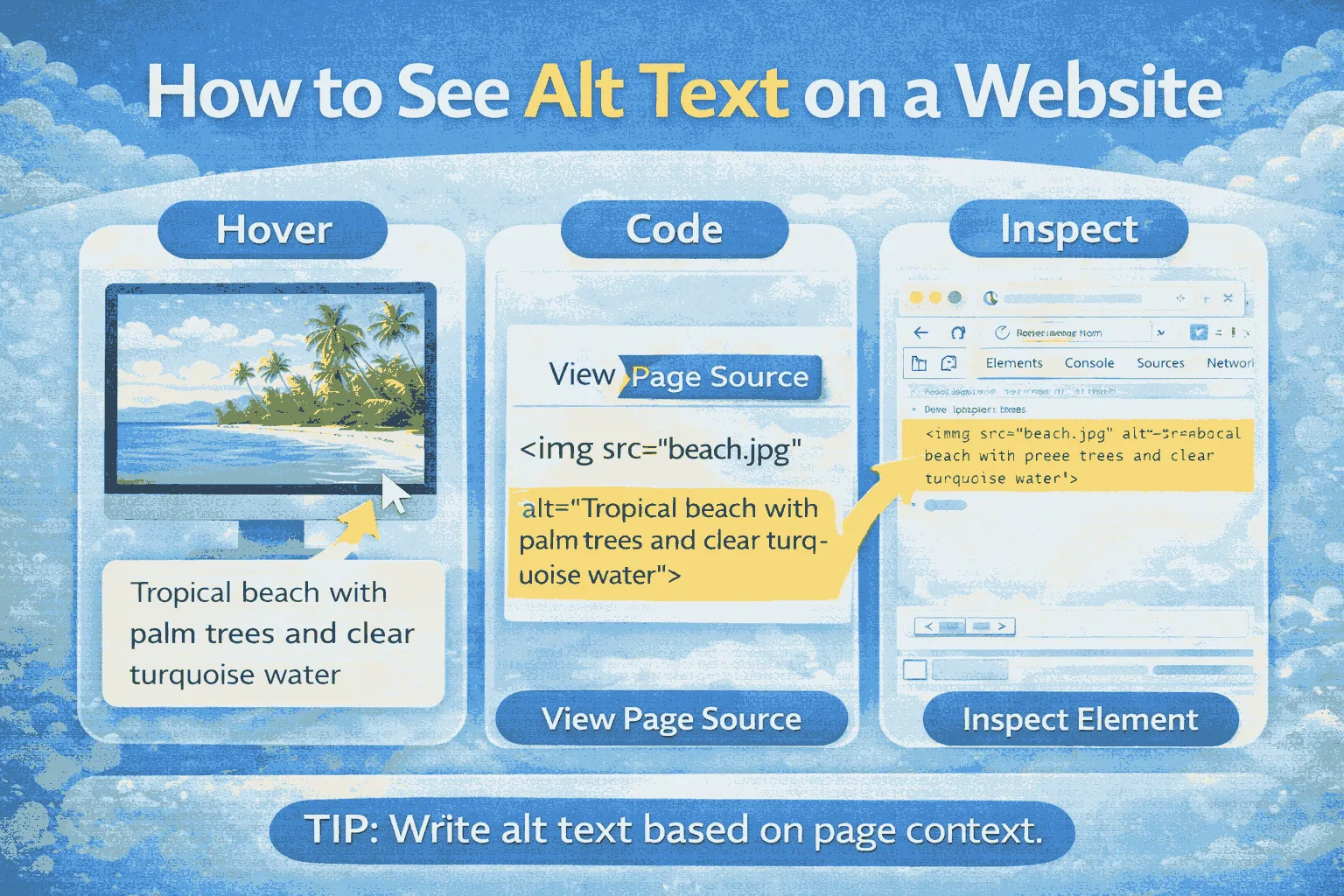
Checking existing alt text is important for content managers and SEO specialists. Several methods allow you to view the alt attributes of images on a live website.
Using Browser Developer Tools (Manual Check)
The most accurate way to check alt text is by using your browser’s built-in Developer Tools. This lets you inspect the HTML code for each image.
Step-by-Step Guide (Chrome/Firefox):
- Open Developer Tools: Go to the webpage with the image. Right-click the image and select “Inspect” or “Inspect Element.” You can also use Ctrl+Shift+I (or Cmd+Option+I on Mac).
- Find the Image Tag: The Developer Tools panel will open, showing the HTML code for the selected image.
- Check the Alt Attribute: Look for the alt=”” attribute inside the <img> tag to see the exact alt text.
This method shows exactly how alt text appears to search engines and screen readers.
Using Specialized Audit Tools
For websites with many images, specialized tools can save time compared to manual checks.
- Browser Extensions: Tools like the Image Alt Text Viewer Chrome Extension display all alt text on a page without looking at HTML, making spot-checking fast and easy.
- SEO Crawlers: Programs such as Screaming Frog SEO Spider scan entire websites and report on all images, highlighting missing or overly long alt text. These tools are useful for large-scale audits and ensuring consistent quality.
The Right Time to Add Alt Text
The best time to add alt text is while creating content. Adding it later can be costly and time-consuming, because fixing missing alt text after a page goes live requires extra work.
Proactive Implementation
Alt text should be treated as mandatory, not optional. It is easiest and most accurate when written by the content creator as soon as the image is uploaded.
- Mandatory Field: Integrate alt text into the publishing checklist or make it a required field in the CMS before a post can be published.
- Context Accuracy: At the moment of creation, the creator understands the image best, ensuring the alt text is relevant and descriptive.
Cost of Delay
Creating alt text after publishing involves research, editing, and review, which increases time and cost. A clear alt text strategy from the start helps achieve better accessibility and SEO results.
This approach applies to social media as well, since platforms like Facebook, Twitter, and LinkedIn now support alt text. Including it in every publishing workflow ensures consistent optimization and compliance.
Best Practices for Writing Alt Text
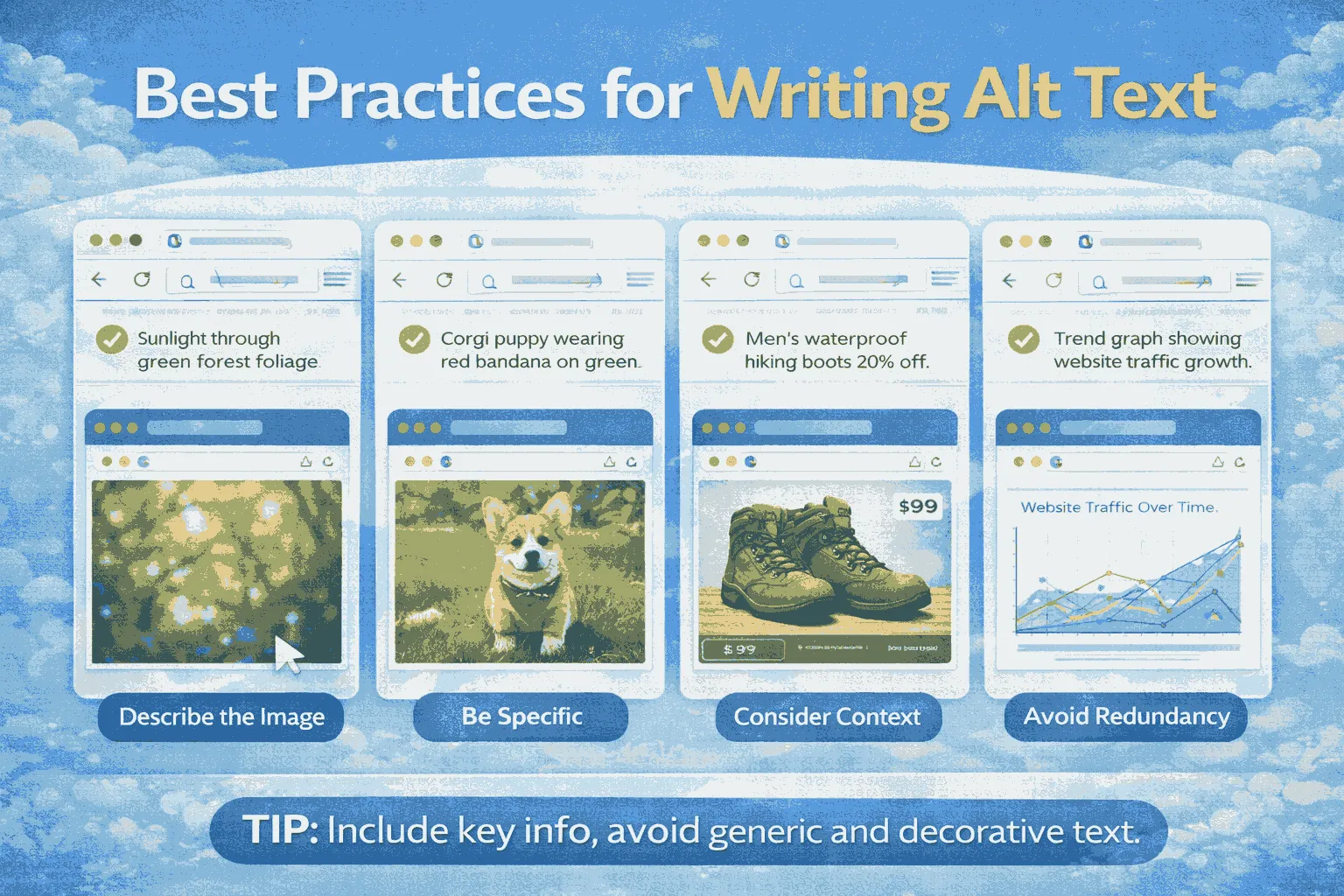
Alt text should be concise, descriptive, and, when appropriate, include keywords naturally. The goal is to provide meaningful context without overloading the text.
Character Limit
While there is no strict limit, keeping alt text under 125 characters is recommended. Many screen readers truncate text beyond this length, so concise descriptions improve accessibility.
Context and Description
- Describe the Purpose, Not Every Detail: Focus on why the image is there, not every visual element.
- Avoid Redundancy: Skip phrases like “image of” or repeating text already on the page.
- Use Proper Grammar: Write complete sentences ending with a period to make it flow naturally when read aloud.
Keywords
- Use Naturally: Include 1–2 relevant keywords if they fit naturally.
- Avoid Stuffing: Overloading alt text with keywords can harm SEO and annoy screen readers.
Complex and Decorative Images
- Charts and Graphs: Summarize the main trend or takeaway. Full details can go in surrounding text.
- Decorative Images: If an image adds no essential information, leave the alt attribute blank (alt=””) to prevent screen reader clutter.
Alt Text Best Practices Summary
| Action | Rule | Why It Matters |
| Be Concise | Limit to 125 characters | Prevents truncation for screen readers and quick understanding |
| Be Contextual | Explain why the image is on the page | Supports SEO and provides functional context |
| Use Keywords Naturally | Embed 1–2 relevant keywords | Helps ranking without keyword stuffing |
| Avoid “Image of” | Start with the description | Eliminates repetition for screen readers |
| Use Proper Grammar | Complete, polished sentences | Improves readability and natural flow |
Alt Text vs. Image Title
Beginners often confuse the alt attribute with the image title attribute. Both live in the <img> tag but serve different purposes.
Alt Attribute (alt=)
- Primary Role: Provides replacement text for users who cannot see the image.
- SEO Value: High, search engines crawl and index alt text to understand images and page context.
User Experience: Read aloud by screen readers or shown when an image fails to load.
Image Title (title=)
- Primary Role: Shows a tooltip when hovering over the image.
- SEO Value: Minimal, search engines mostly ignore it.
- User Experience: Adds extra info on hover but is optional.
Key Takeaway: Alt text is essential for accessibility and SEO. The image title is optional and secondary.
| Attribute | HTML Tag | SEO Visibility | Main Function | Priority |
| Alt Text | alt= | Yes | Accessibility & fallback text | Critical |
| Image Title | title= | No | Hover tooltip | Minimal |
Alt Text and Image Search Ranking
Alt text directly impacts Google Image Search and indirectly supports general SEO.
- Direct Ranking: Google uses alt text to understand and rank images. Well-written alt text can improve visibility in image search results.
- Driving Visual Traffic: Optimized alt text can attract visitors via Google Images, valuable for e-commerce, recipes, or any visually-driven content.
- Human Context for Algorithms: While computer vision can analyze images, alt text gives precise, human-written context that search engines rely on for relevance.
Conclusion
Alt text is a cornerstone of modern web content, combining accessibility and SEO benefits. Properly implemented alt text makes content inclusive, compliant, and easier for search engines to understand.
By adding descriptive, concise, and contextual alt text for every informative image, websites gain a “win-win”: improved accessibility for users and stronger search visibility. Following best practices, keeping text under 125 characters, avoiding redundancy, and naturally using keywords, ensures maximum compliance and traffic potential.