
What makes a blog truly stand out in search results?
Blogging remains a powerful tool in digital communication, with over 600 million blogs online and more than 7.5 million posts published daily. Regular blogging can boost a website’s chances of ranking higher in search results by 434%.
But in today’s world of AI-powered search and advanced People Also Ask features, success depends on more than just publishing frequently. The way a blog is structured plays a key role, and one critical element often overlooked is the blog tag.
Used correctly, it guides users and search engines smoothly through content. Mismanaged, it can create index bloat that limits visibility.
What Is a Blog Tag and Why It Matters
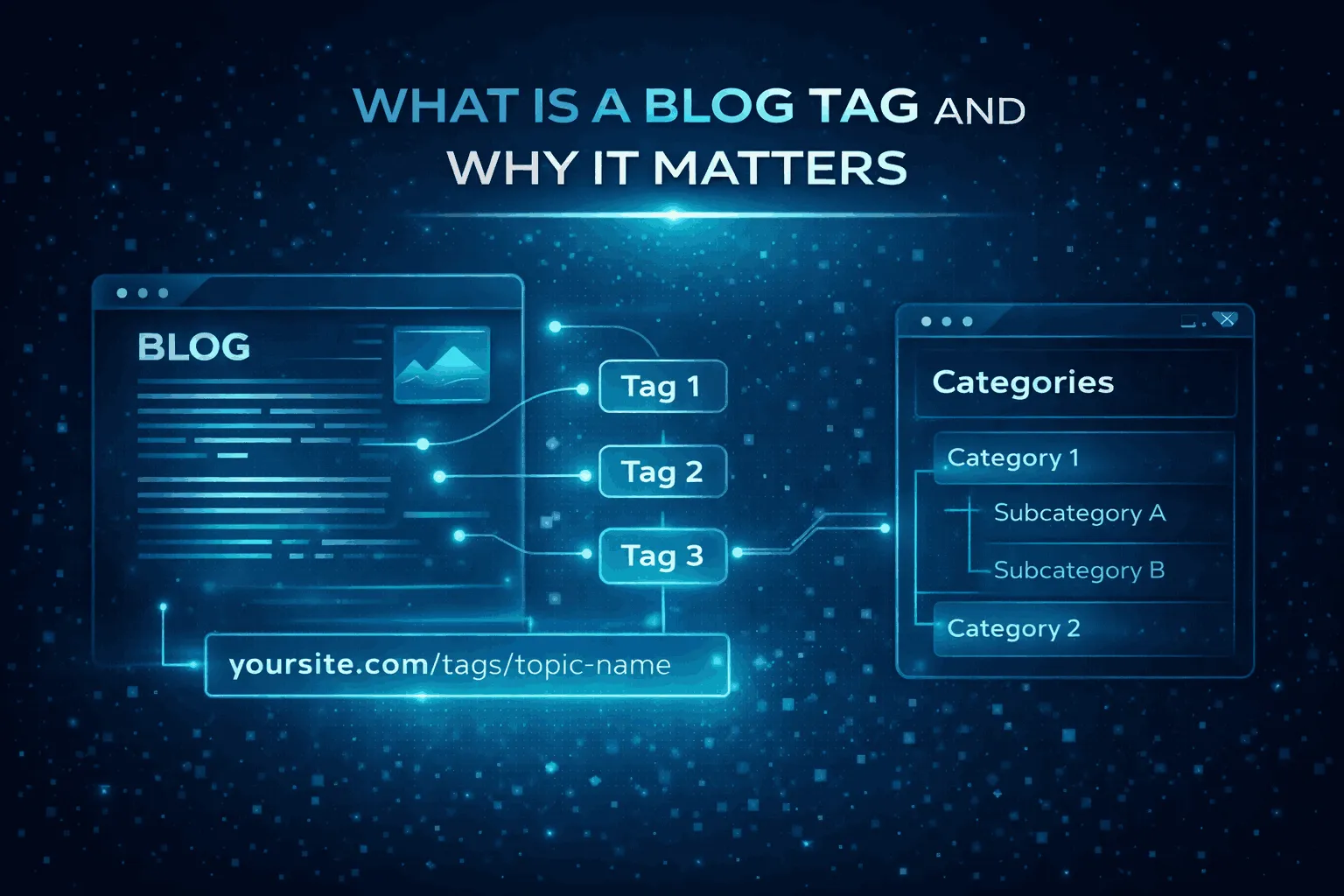
A blog tag is a non-hierarchical label assigned to a post to highlight its specific details or micro-topics. Think of tags as the “index” of a book, pointing readers to precise topics across multiple broad categories. While categories organize content like chapters, tags capture niche ideas, locations, or concepts that span the site.
How Tags Work Behind the Scenes
Each tag generates an archive page, usually at a URL like yoursite.com/tag/topic-name. This page automatically collects all posts associated with that tag. For users, it creates a convenient way to explore related content that may be spread across different categories.
Example: A travel blog might have a category for “Europe” and a tag for “Street Food.” Using the tag, readers can access street food guides for Italy, France, and Spain all in one place.
Key Features of Blog Tags
| Feature | Description | SEO & UX Role |
| Hierarchy | Flat, non-hierarchical | Cross-references content across categories |
| Requirement | Optional (unlike categories) | Enables granular content discovery |
| Structure | Keywords or short phrases | Indexes specific entities or trends |
| Archive Page | Auto-generated URL | Serves as an internal linking hub |
| User Intent | Focused topic retrieval | Prevents “dead ends” and improves navigation |
Do Blog Tags Actually Help SEO?
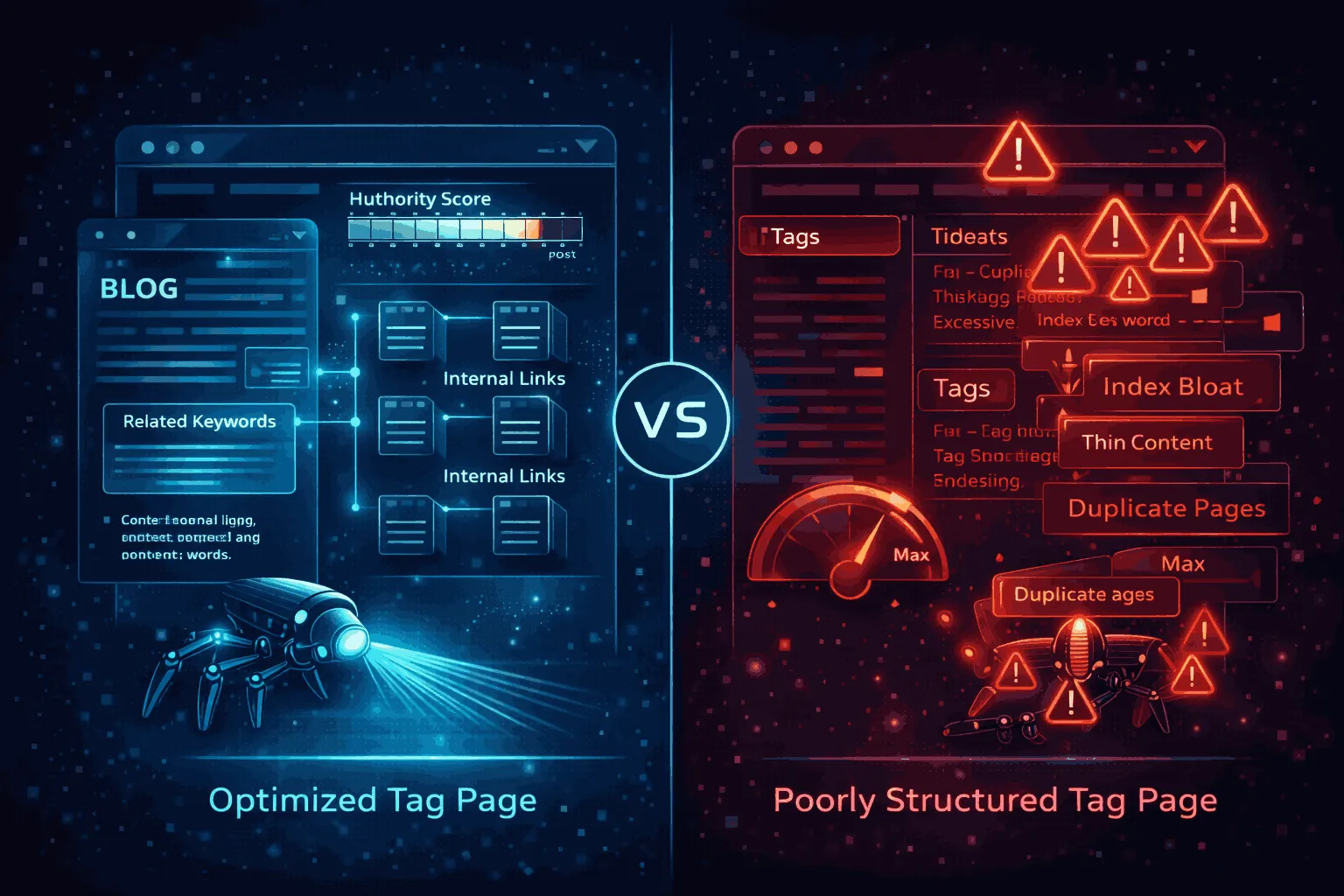
The short answer is yes, but only if used strategically. Blog tags don’t automatically boost search rankings just by existing. Instead, they influence SEO indirectly by improving how search engines understand and navigate your site.
How Tags Support SEO
When implemented correctly, tags enhance a website’s crawlability and topical authority. By grouping related posts, they send clear signals to search engines, showing that your site covers a topic in depth. This strengthens your site’s credibility under Google’s E-E-A-T framework, which evaluates Experience, Expertise, Authoritativeness, and Trustworthiness.
The Risk: Index Bloat
Tags can also be risky. Experts call them a “double-edged sword.” While they increase the number of indexed pages and help distribute internal links, they often create index bloat, thousands of low-value or duplicate pages that waste search engine crawl budgets. Websites with too many unoptimized tags may see a decline in how efficiently search engines crawl their high-value content.
Blog tags support SEO only when part of a well-planned taxonomy. Mismanaged tags can do more harm than good, so discipline and strategy are key.
The Role of Blog Tags in SEO and Navigation
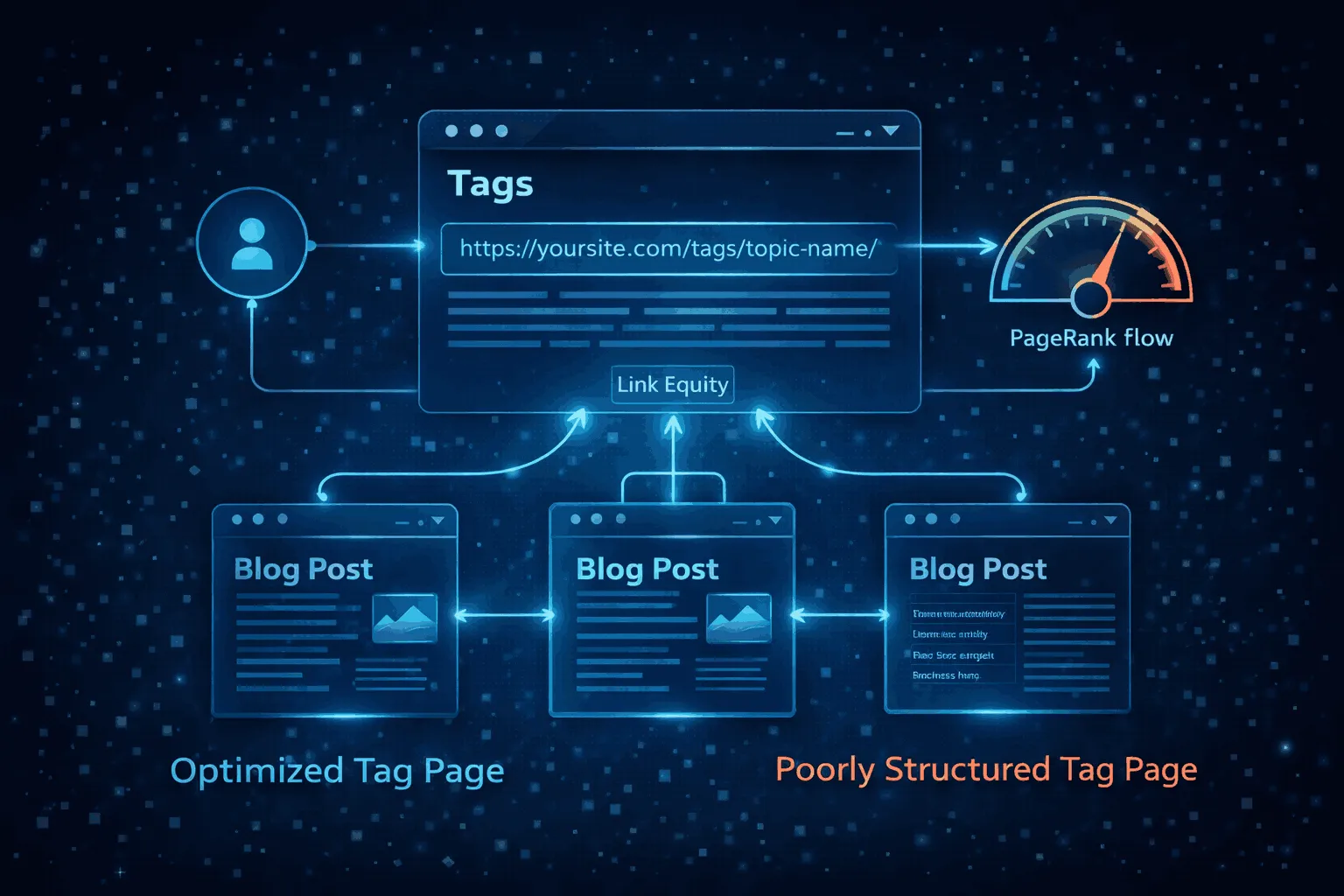
To understand their SEO impact, it helps to look at how tags interact with search engines and users. Every tag creates a new URL listing all posts associated with that label, forming a network of internal links that supports both SEO and user navigation.
Internal Linking and PageRank Flow
Internal links are how search engines discover and evaluate content. Tags act as automated linking hubs. For example, a post tagged “SEO Tips” automatically links to the /tag/seo-tips/ archive page. This helps:
- Distribute PageRank across the site
- Prevent older posts from becoming orphaned
- Strengthen topical authority by showing a consistent content history
Semantic Signaling and Topic Clustering
Search engines use natural language processing to create a knowledge graph of your website. Tags provide explicit semantic signals, showing which topics a site covers in depth.
Example: Tags like “Python,” “Machine Learning,” and “Data Visualization” signal authority in data science. Clustering related tags also increases the chance of appearing in Google’s People Also Ask (PAA) section, as it demonstrates the site can answer a logical sequence of related questions.
The Technical Benefits at a Glance
| Mechanism | SEO Benefit | User Benefit |
| Automated Archiving | Increased crawl depth | Easier topic discovery |
| Internal Linking | Distributed link equity | Smoother navigation |
| Semantic Tagging | Enhanced topical authority | Contextually relevant suggestions |
| URL Generation | New entry points in SERPs | Grouped content viewing |
When Blog Tags Can Backfire on SEO
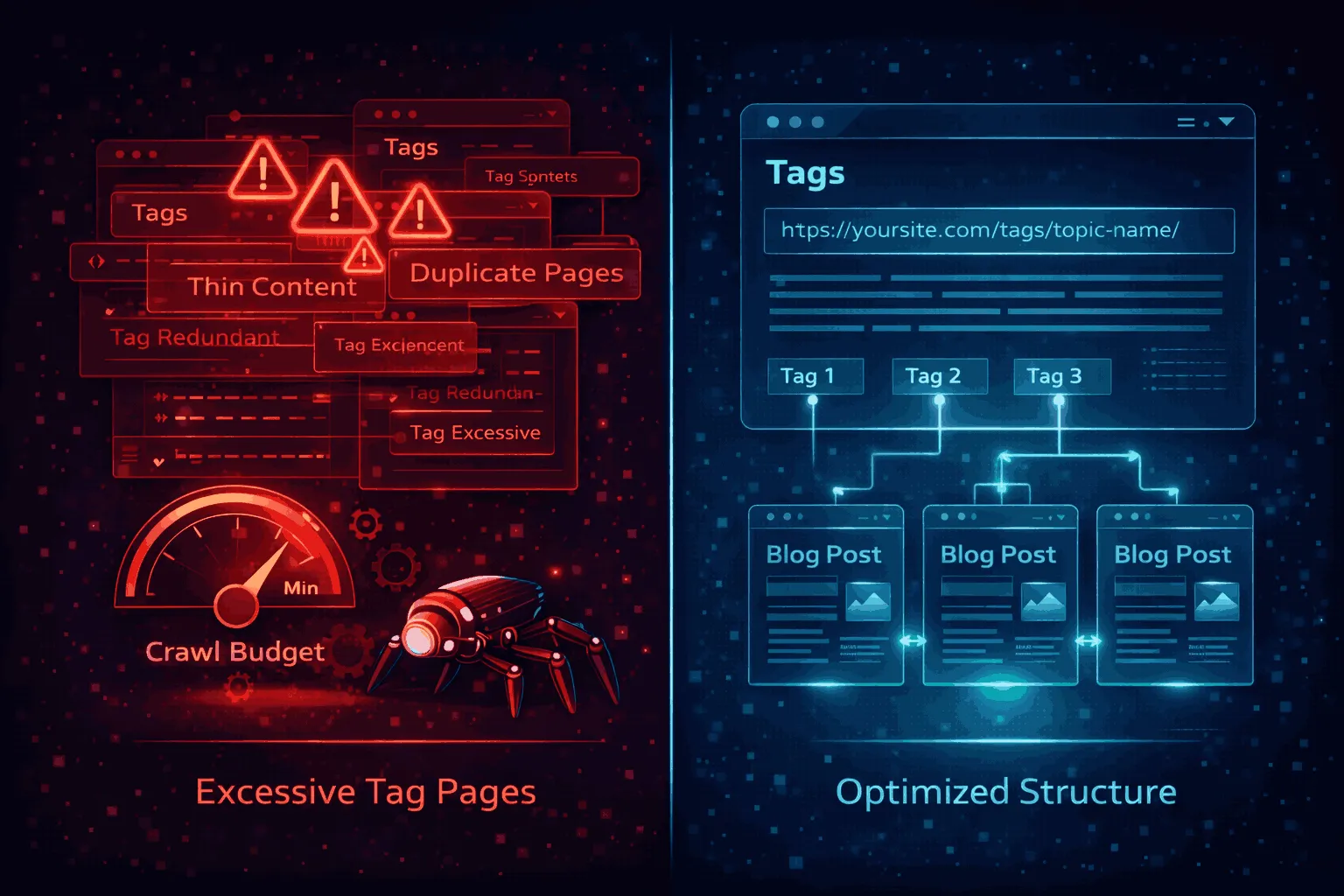
While blog tags can boost SEO when used correctly, mismanaged tags can create serious problems for your site’s performance.
Thin Content and Low-Value Pages
The main risk comes from creating low-quality or thin content. Treating tags like social media hashtags and adding dozens of unique labels to a single post often leads to tag archive pages with very little content.
Example: A tag like “Marketing Trends 2026” used for only one post generates a page with just that snippet. Search engines may view these pages as low-value, which can suppress rankings across your entire site if repeated at scale.
Keyword Cannibalization and Duplicate Content
Using tags that overlap with categories or other tags can cause internal competition. For instance, a category called “Gardening” and a tag with the same name may confuse search engines about which page to rank, lowering both pages’ authority.
Duplicate content can also appear if full posts are shown on tag pages rather than snippets, creating multiple URLs with the same content.
Wasted Crawl Budget
Search engines assign each site a crawl budget, the number of pages they’ll index within a given timeframe. Excessive or unnecessary tags create thousands of low-value URLs, forcing bots to spend time on junk tag archives instead of discovering new, important content.
SEO Risks at a Glance
| SEO Risk | Technical Cause | Long-Term Impact |
| Thin Content | Tag pages with only one post | Site-wide authority suppression |
| Duplicate Content | Overlapping tags and categories | Canonicalization confusion |
| Cannibalization | Tags competing with main pages | Lower rankings for target keywords |
| Index Bloat | Thousands of low-value tag URLs | Reduced crawl frequency for new posts |
| Wasted Crawl Budget | Bots processing junk tag archives | Delayed indexing of important updates |
Blog Tags vs. Categories: Which Matters More for SEO?
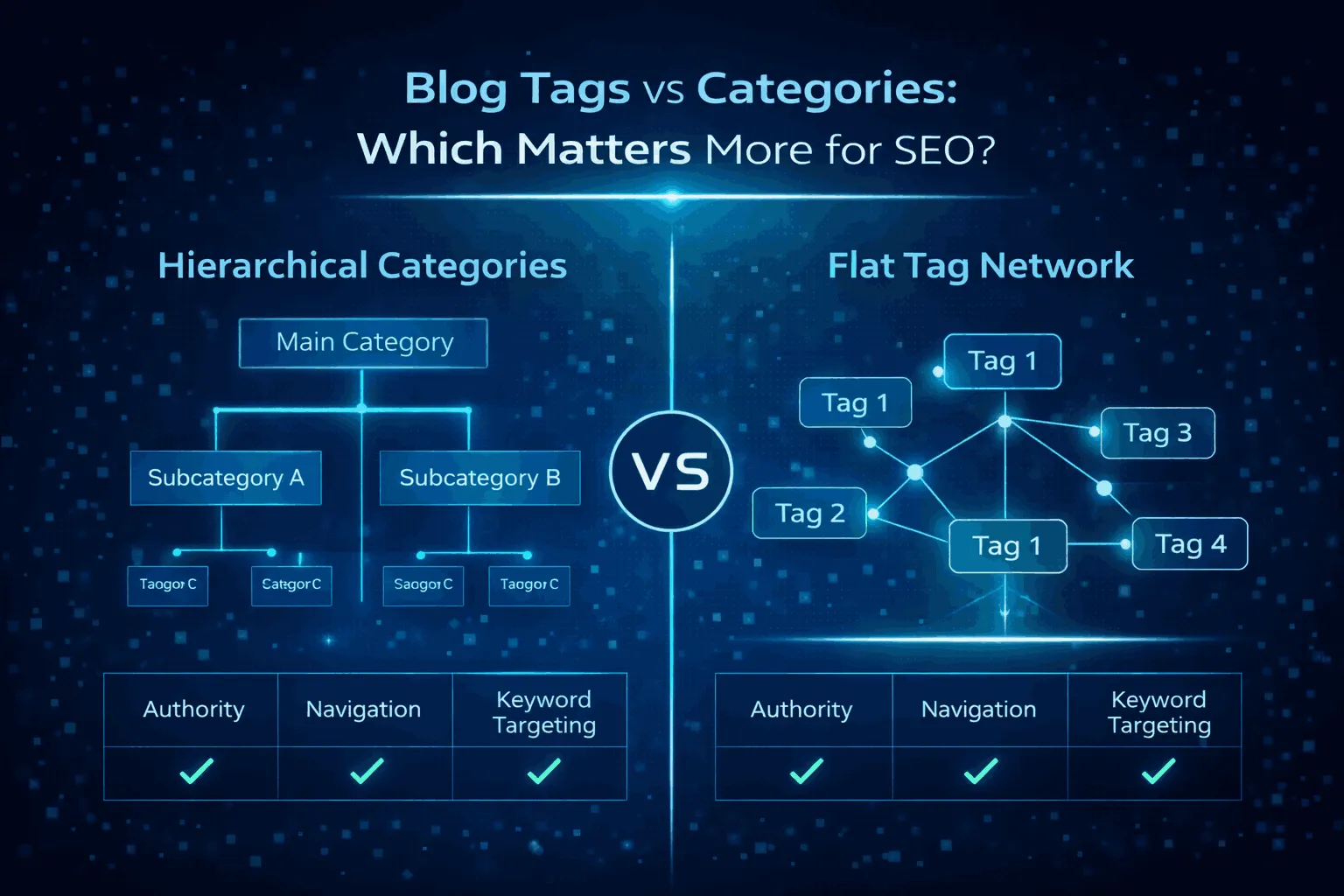
Organizing content effectively means knowing the difference between categories and tags. Both help structure your site, but they serve different purposes in guiding users and search engines.
Categories: The Big Picture
Categories are the foundational pillars of your blog. They group posts under broad topics and often include sub-categories to create a hierarchy.
- Keep categories limited, ideally 5–10, to focus on your main areas of expertise.
- From an SEO perspective, category pages often act as pillar pages, ranking for broad, high-volume search terms.
Tags: The Fine Details
Tags provide granular descriptions that connect related posts without a hierarchical structure. They are optional and often highlight niche topics, trends, or specific entities.
- A single post should belong to one category but can have multiple tags for cross-referencing.
- Tags are useful for targeting long-tail search queries and improving internal linking.
Comparing Categories and Tags
| Criterion | Categories | Tags |
| Organization | Broad, hierarchical pillars | Specific, flat descriptions |
| SEO Strategy | Target high-volume terms | Target long-tail niche queries |
| User Journey | Main navigation and discovery | Deep-dive cross-referencing |
| Quantity Limit | Small (5–10 recommended) | Medium (used as needed, but limited) |
| Hierarchy | Can have sub-categories | No hierarchy |
| Requirement | Usually mandatory in CMS | Optional |
Should Tag Pages Be Indexed? Navigating the Indexing Dilemma
Deciding whether to index tag pages is a key SEO choice. The approach depends on how optimized the tag pages are.
The Safe Approach: Noindex, Follow
For most blogs, the safest strategy is to use the noindex, follow robots meta tag:
- Noindex: Tells search engines not to include the tag page in search results, eliminating the risk of index bloat or thin content penalties.
- Follow: Lets search engines crawl the links on the page, so individual posts remain discoverable.
This approach keeps the user experience benefits of tags while avoiding SEO risks.
The Advanced Approach: Optimized Tag Pages
When a tag page is carefully optimized, it can become a ranking asset:
- Unique Content: Add a 300–500 word introduction to give real value beyond the post list.
- Keyword Optimization: Target long-tail queries in the meta title and description, e.g., “marketing tips for small business.”
- Visual Elements: Include images or videos to improve engagement.
- Quantity Threshold: Only index tags with 5–10 high-quality posts.
A well-optimized tag page can rank for competitive terms and strengthen the site’s overall authority.
Best Practices for Blog Tags
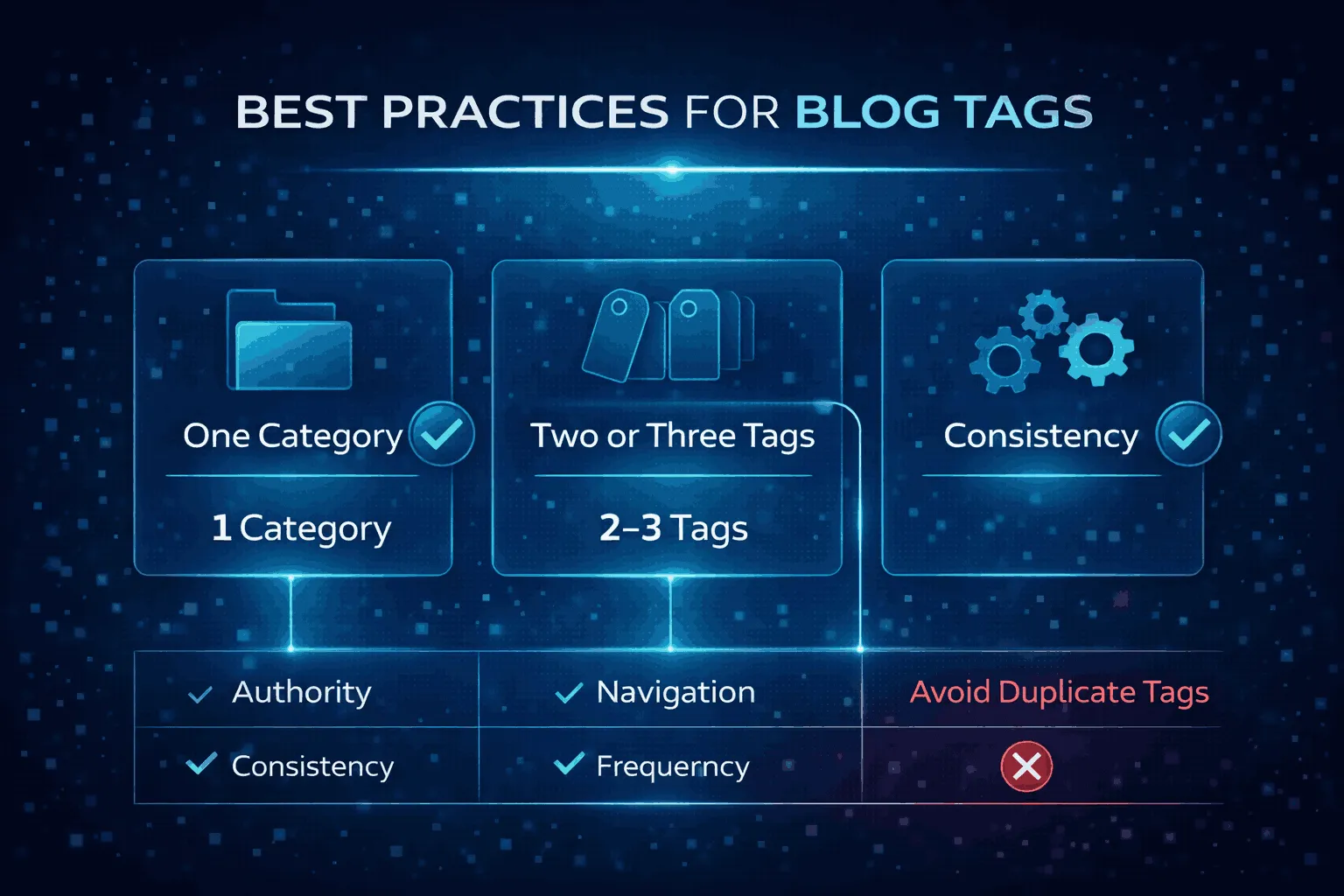
To make blog tags work for SEO, adopt a disciplined governance framework.
The “15 Rule” and Tag Limits
Posts with too many categories and tags can be flagged as spam. In 2026, aim for:
- 1 category per post
- 2–3 highly relevant tags per post
This ensures internal links remain meaningful and contextually relevant.
Naming Conventions and Consistency
Consistency avoids redundancy and duplicate content:
- Avoid Duplication: Don’t create tags identical to categories.
- Case Sensitivity: Treat “Marketing” and “marketing” as the same. Stick to lowercase.
- Singular vs. Plural: Pick one format (“award” or “awards”) and use it consistently.
- Descriptive Tags Only: Avoid clever or cryptic phrases; tags should clearly signal content topics.
The Two-Post Rule
Before creating a new tag, ask:
“Can I apply this to at least two other posts?”
Tags that apply to only one post create thin content and low-value archive pages. Only add tags that will link multiple articles and become recurring themes.
Prioritize User Experience (UX)
Tags exist to help readers:
- Use them in Related Stories or You Might Also Like sections.
- Cross-linking encourages longer site visits and lowers bounce rates, signaling to search engines that your content is valuable.
Technical Implementation: Managing Tags Across Platforms
How you manage blog tags depends on your CMS and editor. Here’s a breakdown for the two most popular platforms.
WordPress (Block Editor)
WordPress offers flexible control over tags and archive pages:
- Adding Tags in the Sidebar: While editing a post, open the settings sidebar, locate the “Tags” section, and type tags separated by commas or Enter.
- Using the Tags Block: Display tags within posts or templates. Customize the prefix (e.g., “Tagged in:”) and adjust design elements like typography and color.
- Archive Optimization: Go to Posts > Tags in your dashboard to edit tag descriptions and add unique content, turning tag pages into pillar pages.
- Bulk Editing: Manage or delete tags in bulk to clean up excessive or low-value tags, preventing index bloat.
Shopify
Shopify uses a simpler approach, focusing on front-end filtering and organization:
- Organization Section: Go to Content > Blog posts in Shopify admin and add or select existing tags.
- Character Limits: Tags support up to 255 characters, are not case-sensitive, and accept only letters, numbers, and hyphens.
- Category Workaround: Shopify lacks a traditional category system, so many users create multiple blogs to act as categories (e.g., “News” and “Guides”).
- SEO Optimization: Advanced tag page SEO may require third-party apps like Bloggle or Gempages for better metadata and archive customization.
| Platform | Strengths | Weaknesses |
| WordPress | Deep customization, excellent SEO plugins | Can be overwhelming for beginners |
| Shopify | Simple, integrated with e-commerce | Limited native SEO for tag archives |
| Block Editor | Visual, drag-and-drop tag placement | Requires theme support for some blocks |
| Shopify Admin | Fast bulk editing of metadata | No native hierarchical categories |
Leveraging Tags for AI Search and “People Also Ask” (PAA)

With AI-powered search and Generative Search Experiences (GSE), tags are now semantic mapping tools that strengthen topical authority.
Building Topical Authority
AI models like Google Gemini and ChatGPT focus on topic clusters rather than isolated keywords. Consistent, descriptive tags create a clear content map, helping AI recognize your site as a comprehensive source. This increases the chances of being cited in AI-generated summaries and featured snippets.
Capturing PAA Opportunities
The People Also Ask box reflects real-time user questions. To optimize for it:
- Identify Questions: Use tools like AlsoAsked or manual SERP checks.
- Tag as Subtopics: Group answers using these questions or key entities as tags.
- Structural Alignment: Make sure tag archive pages provide clear, concise answers (40–60 words) followed by deeper content.
The Visibility Multiplication Effect
Optimized tags can appear multiple times on the same SERP, once as the main post and again as a snippet from a tag or category archive. This increases your presence and is especially valuable today, where mobile searches feature expandable question boxes.
Conclusion
Blogging drives business growth, lead generation, and brand authority, but random tagging for “extra keywords” no longer works. Success depends on strong content organization and information architecture.
When used strategically, blog tags boost topical authority, connect major content pillars, and help search engines understand your expertise. They also guide readers to related posts, improving engagement.
Poorly managed tags, however, can create index bloat and thin content, turning an asset into an SEO liability. Treat tags like your main headlines: keep them limited, consistent, and optimized. This ensures your blog is a clear, authoritative map for both readers and search engines, maximizing visibility and impact.