
When people want to choose a local business, the first thing they look at is the reviews. This habit has grown even stronger, and the numbers prove it. About 75.5 percent of consumers trust online reviews, and more than 90.6 percent read them before making a purchase. Reviews are no longer small notes that sit under a listing.
They shape how visible you are, how much people trust you, and how many customers reach out to you. Local shoppers rely on these experiences to judge credibility. This gives local businesses a strong chance to grow by using feedback the right way.
In this guide, you will learn how to use positive feedback to grow in search results, handle negative comments, and protect your profile from fraud.
The Halo Effect: How Good Google Reviews Boost Local SEO

High-quality Google reviews do more than make your profile look good. They play a strong role in how visible you are in local search. Google uses reviews as a major signal to judge how credible a business is, which affects its position in the Google Maps Pack and other local results.
Local SEO Pillars: Prominence, Relevance, and Proximity
Google measures local businesses through three main factors.
- Proximity
How close the business is to the person searching. - Relevance
How well the business matches what the user is looking for. - Prominence
How well-known, trusted, and reputable the business is in its local area.
Reviews support both Relevance and Prominence in important ways.
How Reviews Directly Fuel Prominence in 2026
Reviews are one of the strongest signals that build Prominence. A large number of positive reviews and a high average rating show trust and authority, which improves local rankings.
- Volume and Rating
Businesses with steady, positive feedback appear more trustworthy than competitors. - Review Velocity (Freshness)
Google notices when a business receives new reviews often. A stable flow of recent reviews matters. The fresh activity shows ongoing quality and helps the algorithm view the business as active. - Credibility Building
The platform matters. A large percentage of consumers trust Google reviews the most, which makes a strong rating here important for SEO and customer confidence.
The Hidden Power of Review Text: Boosting Relevance with Keywords
The words customers use in their reviews also help with SEO. Google’s system reads this text using artificial intelligence to understand its meaning.
- Semantic Context Analysis
The algorithm studies the text to pick up sentiment and common terms linked to the business. If customers often mention phrases like friendly staff or expert tax advice, Google connects these terms with your profile. - Reinforcing Relevance
This process strengthens your Relevance for searches related to those terms. - Authenticity Note
Trying to force customers to use certain words does not help rankings and may harm your reputation. Natural reviews work best.
The table below shows how reviews support the three pillars of local SEO in 2026
| Local SEO Pillar | Definition | How Reviews Contribute |
| Prominence | How well-known and reputable the business is | A high number of positive reviews and a steady flow of new ones signal trust and authority |
| Relevance | How well the business matches a user’s search | Google reads review text and finds keywords linked to your services |
| Proximity | Distance between the user and your location | Strong Prominence increases your chances of showing up, even when distance varies slightly |
The Impact of Bad Reviews on Your SEO and Visibility
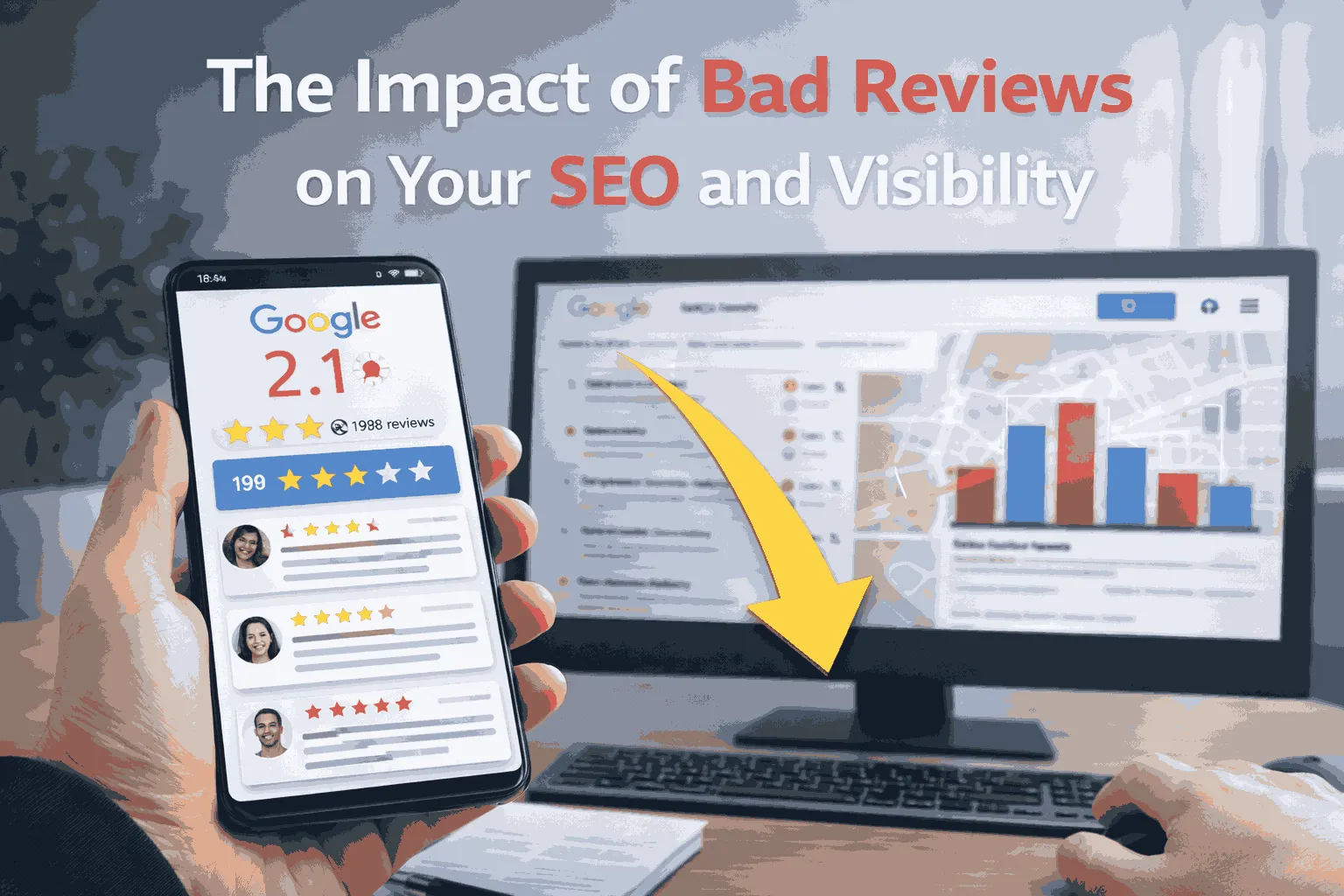
Negative reviews are a normal part of running a business. Both Google and customers expect to see a few low ratings, as long as most feedback stays positive.
When Negativity Becomes a Threat to SEO
A few one-star reviews will not harm your rankings on their own. Industry findings show that if less than 15% of your total reviews are negative, your reputation usually stays safe. Problems begin when there is a high number of negative reviews that point to ongoing issues.
What Really Hurts Local Search Ranking?
High Volume and Unresolved Issues
When many recent negative reviews stay unanswered, Google reads this as a sign of poor customer experience.
Ignoring the Feedback Loop
Not replying makes the situation worse. About 59% of customers will not return to a business that ignores a negative review. Lack of engagement also sends a weak signal to Google, which favors businesses that respond quickly and professionally.
Operational Indicators
A rise in negative reviews often highlights service or quality issues. These reviews act like an early alert.
The Indirect SEO Hit: User Behavior Metrics
Negative reviews also weaken your local SEO through user actions that Google tracks.
Reduced Clicks
A low rating, such as three or three point five stars, pushes searchers toward competitors with higher scores. Fewer clicks tell Google that your listing may not match what users want.
Poor Dwell Time and High Bounce Rates
If someone clicks your listing but leaves fast after seeing many recent complaints, Google views this as a sign of poor relevance.
The Strategic Advantage: The Power of a Professional Response
The most effective way to reduce the impact of a negative review is to answer with speed, care, and respect.
Signals of Trust to Google
A prompt reply shows active management and builds trust, which supports stronger local SEO signals.
Customer Recovery
A helpful and honest response can turn the situation around. About seventy three percent of unhappy customers will give the business another chance when they feel heard and supported.
Caution on AI
Sixty percent of consumers say they lose trust in brands that use AI responses. Human and personalized replies matter a lot, especially when handling conflict.
Using Customer Reviews to Grow Local Business
Customer reviews are powerful assets that can support your entire digital presence. Their value goes far beyond helping you rank in local search.
Conversion Rate Optimization (CRO) with Social Proof
Reviews act as strong social proof. They show real experiences and make people feel safer about choosing your business.
Increased Conversions
Placing positive reviews where visitors can see them can raise conversion rates by as much as 58% percent.
Strategic Placement
Star ratings and review badges should appear at the top part of your website so visitors notice your credibility right away.
Near the Call to Action (CTA)
A well-chosen testimonial beside a contact form or Buy Now button strengthens trust and encourages people to take action.
Review Filtering
Letting visitors filter reviews by customer type builds confidence and helps them find feedback that relates to their needs.
Recycling Review Content Across Digital Channels
Customer feedback is full of useful, natural language that can support content across many platforms.
Social Media Sharing
Reviews fit well on social media. You can repost user photos, comments, and tags with permission. Since a large share of people find new brands through social media, this is a simple way to highlight your style and values.
Email Marketing
Add reviews to marketing emails, follow-up sequences, and order confirmations to reassure customers and strengthen loyalty.
Blog Content Integration
Use reviews inside blog posts or placed in special review sections. They help build authority and support the message. Reviews can also spark ideas when your team needs inspiration.
Website Aggregation
Reposting strong reviews from platforms like Google onto your own website lets visitors see the full picture of your reputation without leaving your site.
How to Get More High-Quality Google Reviews
Building a strong, lasting reputation requires ethical review practices. Following consistent and proper methods keeps your business safe from penalties and helps maintain trust.
Ethical Boundaries and Google Policies
Breaking Google’s rules can remove reviews or, in severe cases, suspend your Business Profile.
No Incentivizing Positive Reviews: Never offer discounts, gifts, or rewards for a five-star review. Incentives are only okay if they encourage honest feedback, whatever the rating.
Authenticity: Reviews must come from real customer experiences, posted from the customers’ own devices.
Avoid Review Gating: Don’t discourage negative reviews or only ask satisfied customers. Honest feedback from all customers keeps your profile safe.
Timing is Everything: Capturing the Delight Moment
Request reviews when customers are happiest to boost positive responses.
- Service Businesses: Ask right after the service is complete.
- E-commerce: Send requests 7–10 days after delivery so customers can form an opinion.
- Long-Term Products/Services: Follow up weeks or months later for detailed, long-term feedback.
Best Practices for Making the Ask
- Simplify the Process: Provide a direct link or QR code and a clear call to action. Keep it easy.
- Personalize Requests: Address the customer by name and reference the product or service.
- Multi-Channel Integration: Use email signatures, receipts, SMS, or in-store QR codes to reach customers.
- Gentle Follow-Ups: One or two reminders can increase responses without annoying customers.
Ethical Review Checklist
| Strategy: Dos | Strategy: Don’ts (Google Policy Violations) |
| Personalize each request with the customer’s name and transaction | Do not offer rewards for positive reviews |
| Ask after successful service completion or “delight moment” | Do not send generic bulk requests |
| Simplify the process with a direct link or QR code | Do not discourage negative reviews (review gating) |
| Encourage honest feedback from all customers | Do not post reviews on behalf of customers |
Deal with Scam Reviews: Identifying and Flagging Violations
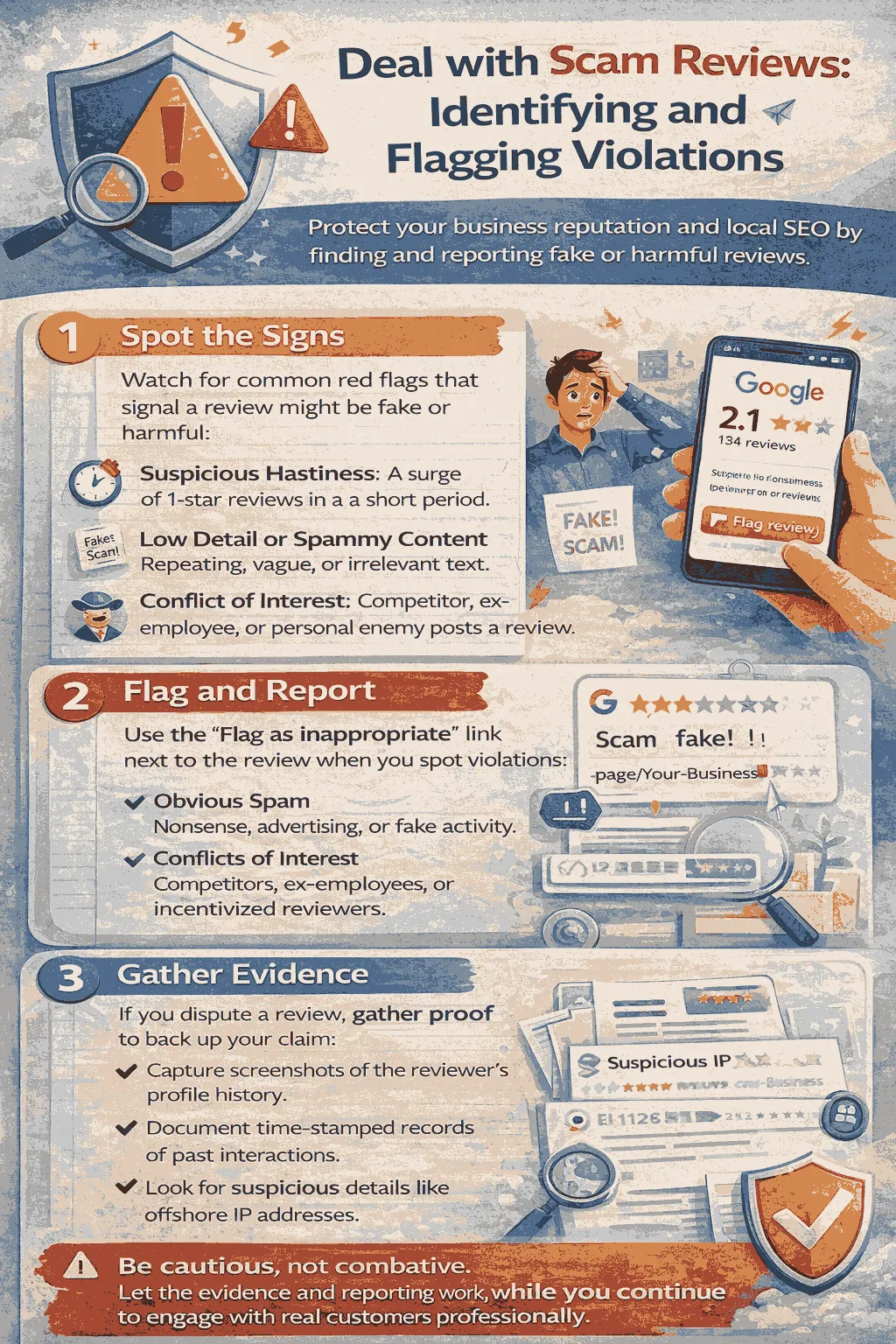
Some reviews may violate Google policies. These can be flagged and removed. Negative but genuine reviews stay.
Reviews May be Removed For:
- Spam or fake content
- Conflict of interest (employees or competitors posting reviews)
- Off-topic content
- Inappropriate content (profanity, harassment, hate speech)
- Duplicate reviews
Flagging a Review
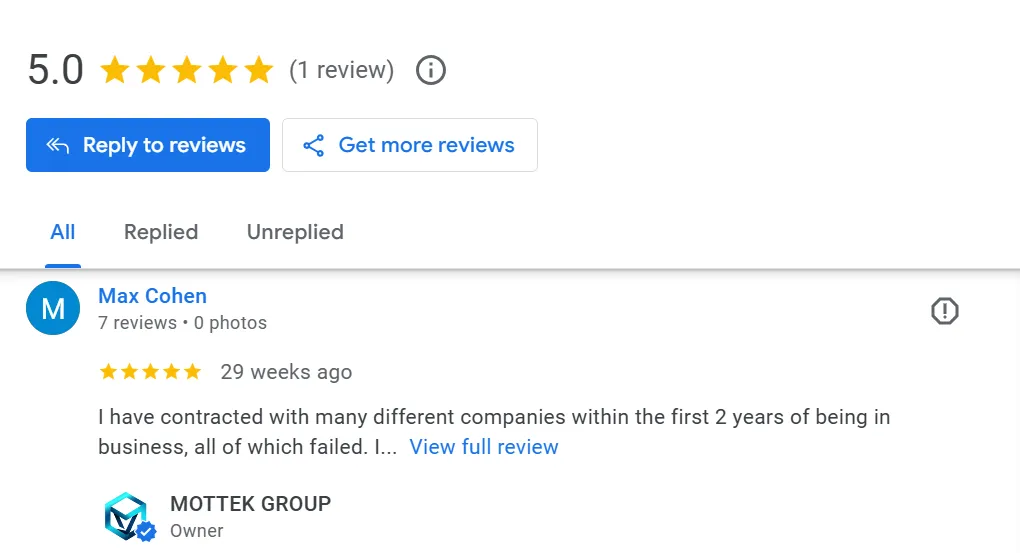
- Direct Flagging: Go to your Business Profile or Google Maps, click the review’s three dots, select “Flag as inappropriate,” choose a reason, and submit.
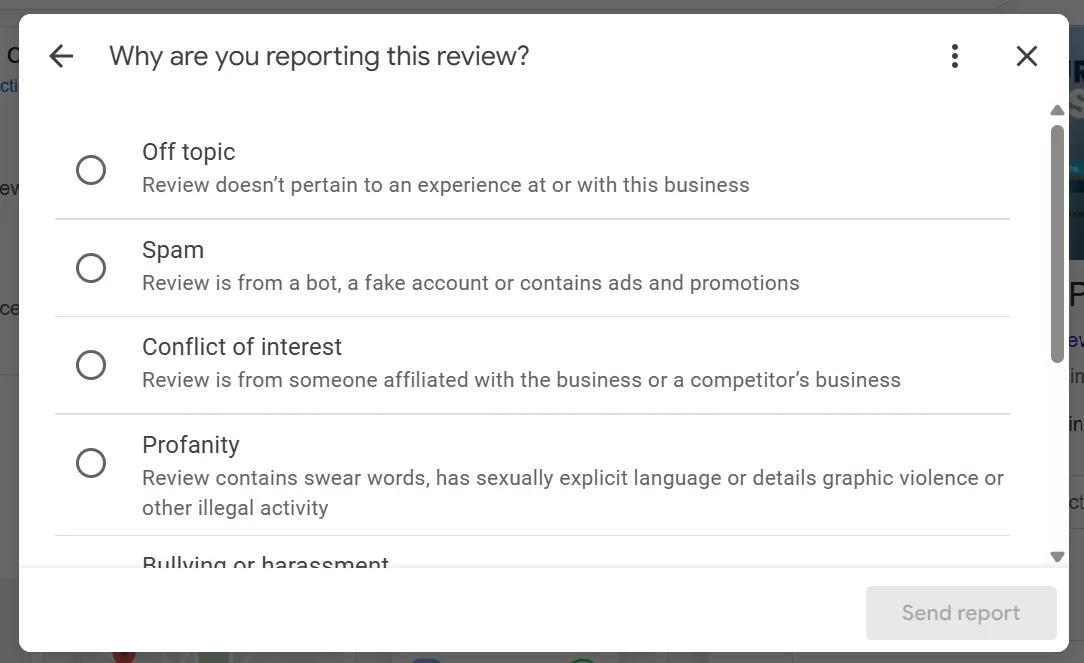
- Reviews Management Tool: Log in with the correct account, select your business, choose “Report a new review,” pick a reason, and submit.
- Appeal: If removal doesn’t happen, Google offers a one-time appeal via the Reviews Management Tool.
Advanced Reporting: Extortion and Fraud
For serious fraud or scams, Google provides special forms.
Reporting Negative Review Extortion
- Recognize extortion attempts: sudden 1–2 star reviews followed by demands for money or goods.
- Never pay scammers; it confirms the scheme.
- Use Google’s official report form with screenshots and stay logged in to the affected Business Profile.
Reporting Widespread Fraud
- Use the Business Redressal Complaint form for systematic abuse, fake profiles, or map manipulation.
- You can report multiple profiles at once by uploading a spreadsheet with URLs.
Conclusion
Online reviews have a direct impact on local SEO, customer decisions, and even your business operations. Managing them effectively is essential for growth and trust. To succeed, businesses must focus on three key strategies.
First, boost prominence and review velocity by ethically requesting feedback at moments of peak satisfaction, making the process easy with direct links or QR codes to ensure a steady flow of authentic reviews. Second, engage with every review, positive or negative, using responses to reinforce credibility, showcase accountability, and strengthen keyword relevance.
Finally, defend your profile by understanding policy violations like spam or conflicts of interest and using Google’s tools, including flagging and specialized reporting forms, to remove fraudulent content. By following these strategies, businesses can maintain visibility, build trust, and achieve sustainable long-term growth.