
Have you ever wondered how a small detail in your website’s URLs can impact your search rankings? In 2025, the online world runs on search, Google alone handles over 5.99 trillion searches each year, and 68% of all online experiences start there.
With nearly 91% of the global search market under Google’s control, technical SEO has never been more important. Something as simple as using hyphens instead of underscores in your URLs can make a big difference. It affects how search engines read your content, identify keywords, and decide which pages to show for relevant searches.
How Hyphens Boost Your SEO
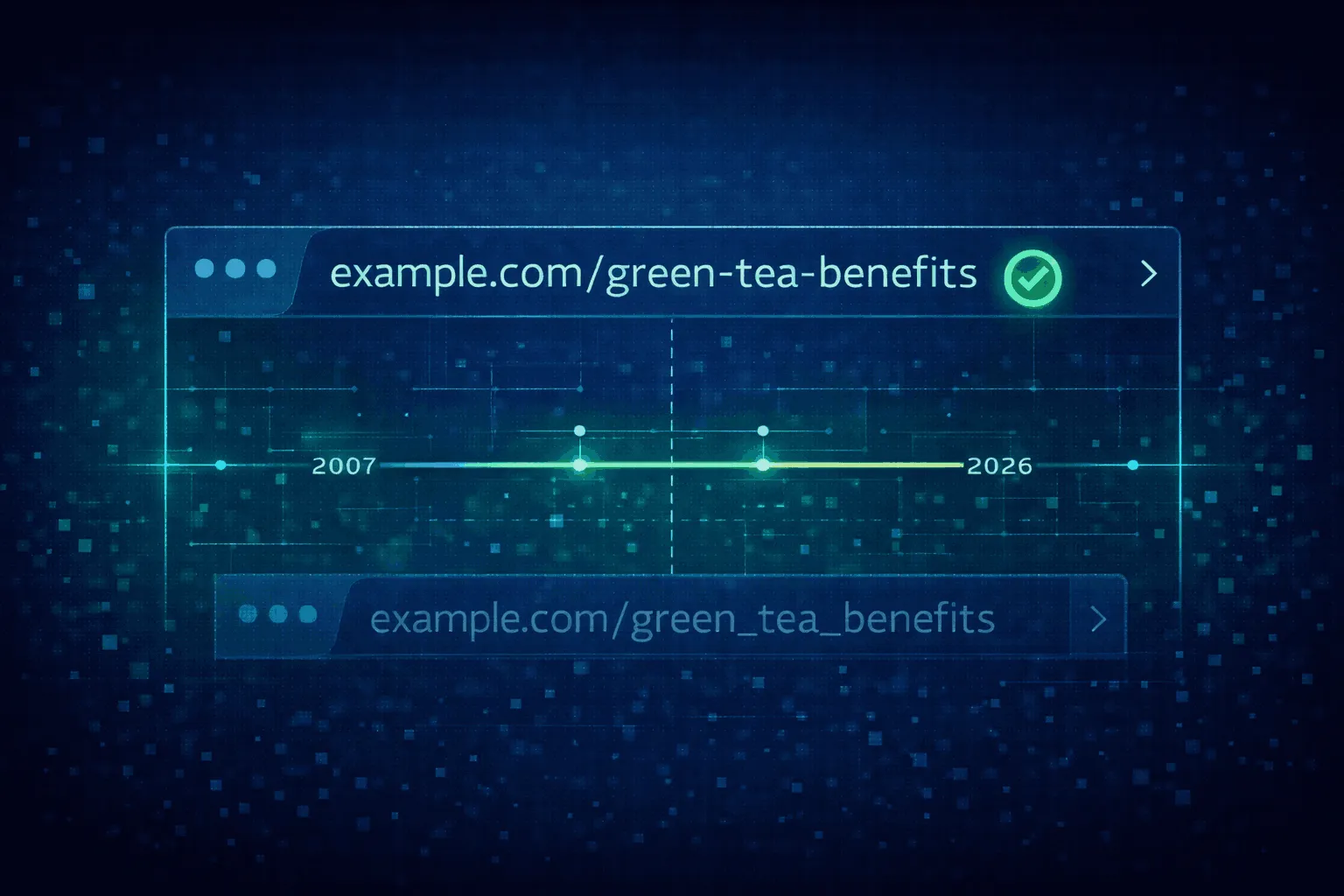
Have you noticed how some URLs are easier to read than others? Hyphens aren’t just a stylistic choice, they play a key role in SEO. Early search engines relied on simple string matching to understand relevance. As the web grew, algorithms needed a way to break URLs into meaningful parts.
Hyphens became the standard because search engine “spiders” see them as spaces, allowing each word in a URL to be indexed separately. This helps your pages show up for a variety of related searches.
Hyphens Improve User Experience and Authority
A clear URL is a roadmap for both search engines and visitors. For example, a URL like digital-marketing-strategy signals three distinct keywords. This clarity improves user experience and helps establish your site’s authority on a topic.
Considering that over 53% of website traffic comes from organic search, getting URL structure right can be the difference between ranking on page one or being lost deeper in the results, where clicks drop to under 1%.
Comparing URL Characters and Their SEO Impact
| Character | How Search Engines See It | Human Readability | SEO Recommendation |
| Hyphen (-) | Word separator (like a space) | High | Recommended |
| Underscore (_) | Joins words together | Low (can be hidden by underlines) | Not recommended |
| Space (%20) | Recognized but encoded | Very low (breaks links) | Avoid |
| Plus (+) | Used in query strings | Moderate | For search parameters only |
| CamelCase | Concatenated words (case-sensitive) | Moderate | Generally avoided |
How Search Engines Break Down URLs
Ever wondered how search engines understand URLs? The answer lies in tokenization, the process of breaking text into smaller, meaningful parts called tokens. When Google, Bing, or other search engines crawl a site, they convert URLs, titles, and headings into tokens that their algorithms can process.
Why Hyphens Work Best
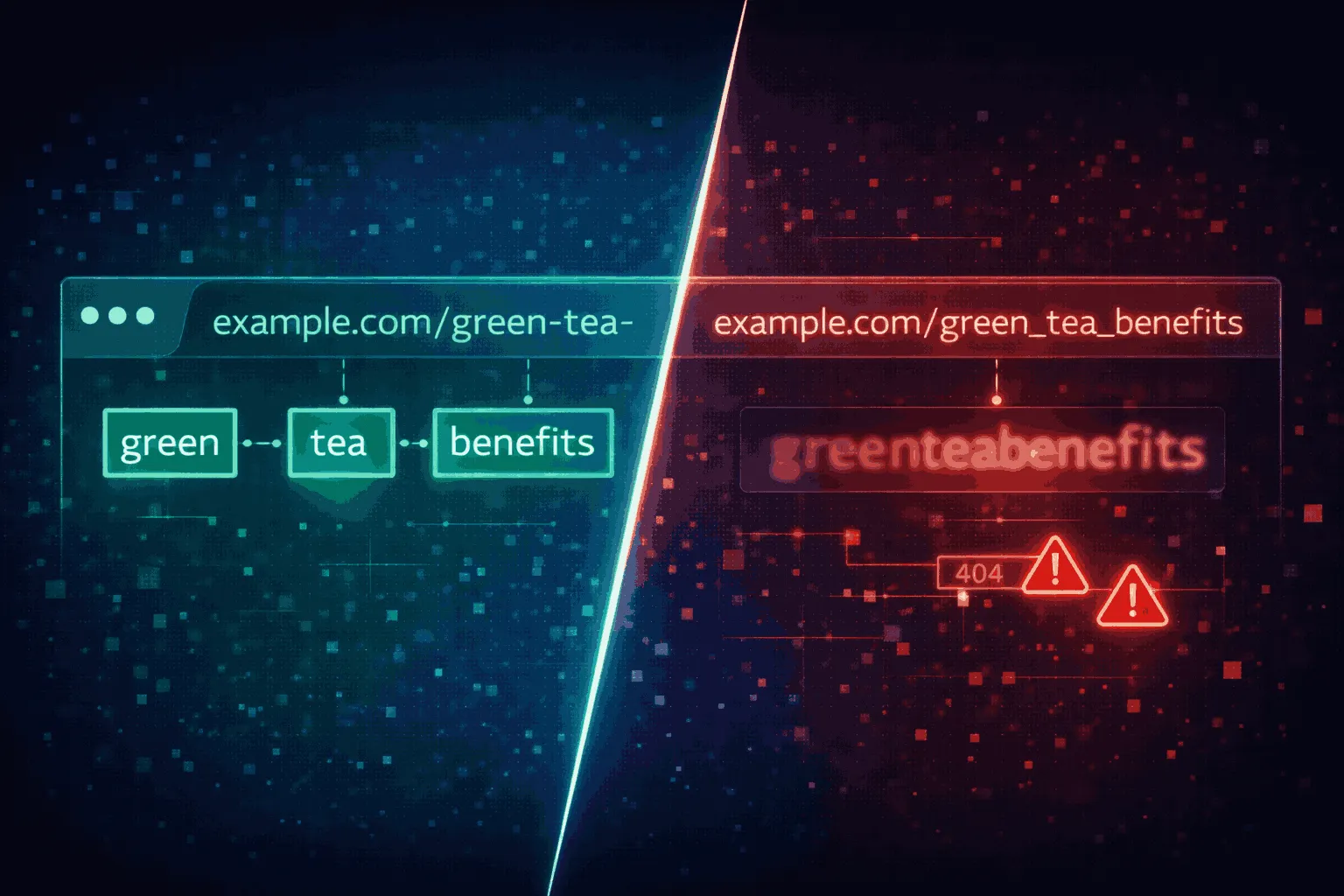
Hyphens act as clear breakpoints. For example, in example.com/green-tea-benefits, the algorithm sees three separate tokens: “green,” “tea,” and “benefits.” This lets the page rank for any combination of those keywords, giving your content better visibility.
Why Underscores Can Hurt SEO
Underscores are treated differently. A URL like example.com/green_tea_benefits is often read as a single token: “greenteabenefits.” Google treats underscores this way because they are commonly used in programming for items that should stay together, like date_format or user_id. Using underscores can weaken keyword signals, making it harder for your page to rank for relevant searches.
Industry Consensus
This behavior isn’t just Google-specific. Bing, Yahoo, and DuckDuckGo all recognize hyphens as standard word separators. While newer search engines with advanced language processing can sometimes split concatenated words, hyphens remain the most reliable way to ensure your keywords are recognized across platforms.
Why Hyphens Became the SEO Standard
Hyphens aren’t just a trend, they’ve been the preferred choice for URLs for over a decade. The debate around hyphens versus underscores gained attention in 2007 when Google’s Matt Cutts caused some confusion about how underscores were treated.
By 2011, Cutts clarified that while underscores might eventually work as separators, hyphens would remain the recognized standard. Since then, Google representatives like John Mueller and Gary Illyes have consistently reinforced this guidance through 2025.
The Technical Reason Behind It
Underscores have a legacy from early computing, where they were used to replace spaces in file names. As the web evolved, official standards like STD 66 outlined allowed characters in URLs. Google’s developer documentation clearly states:
“Use hyphens (-) instead of underscores (_) in your URLs… as it helps users and search engines identify concepts in the URL more easily.”
Key Milestones in URL Guidance
| Period | Key Figure / Source | Guidance |
| Pre-2007 | Early Algorithms | Hyphens widely used for keyword splitting |
| 2007–2011 | Matt Cutts | Hyphens confirmed as separators; underscores not recommended |
| 2015–2022 | John Mueller | Hyphens neutral in domains but important in paths |
| 2022–2024 | Gary Illyes | Segmenter logic explained; hyphens remain standard |
| 2025 | Google Documentation | Hyphens consistently recommended across all materials |
Why It Matters Today
Using hyphens reduces ambiguity. With over 200 factors influencing search rankings, a clear URL structure is a simple, high-impact optimization. Hyphens make it easy for search engines to separate keywords, helping your page get indexed accurately instead of forcing algorithms to guess where one word ends and another begins.
Hyphens vs. Underscores: What Works Best Today
Search engines have a limited crawl budget, meaning they can only spend so much time on a website. URLs that are easy to read, logically structured, and hyphenated are crawled faster. Complex URLs with underscores or special characters require more processing, which can slow indexing or even leave deeper pages out of search results.
Compatibility Across Browsers and Systems
Hyphens are standard ASCII characters, making them reliable across all operating systems (Windows, Linux, macOS) and web servers (Apache, Nginx, IIS). Underscores, while allowed, can sometimes cause encoding problems, broken links, or 404 errors in older CMS platforms. Hyphens are also less likely to be misread when copied, pasted, or clicked in various applications.
Better for Users and Accessibility
Hyphenated URLs are easier to read at a glance. For example:
- www.yoursite.com/blog-article/how-to-build/ ✅
- www.yoursite.com/blog_article/how_to_build/ ❌
This clarity matters for accessibility. Screen readers and voice assistants often mispronounce underscores, saying “underscore” for each instance, while hyphens are treated as natural pauses or ignored, making the URL sound like normal speech.
When Underscores Are Useful
There’s one exception: tracking parameters. UTM codes like utm_source and utm_medium rely on underscores to keep the parameter name intact for analytics tools. Outside of tracking, however, hyphens are the better choice for content URLs.
Hyphens and SEO: More Than Just Readability
Many ask whether hyphens actually boost search rankings or simply make URLs easier to read. The truth is both. Hyphens help search engines recognize keywords directly, while also improving user behavior metrics like click-through rate (CTR), which indirectly supports SEO.
Direct Impact: Clear Keyword Signals
Hyphens separate words so algorithms see them as distinct entities. For example, a URL like example.com/best-organic-coffee clearly signals the keyword “organic coffee.” An underscored version, example.com/best_organic_coffee, can blur the signal, potentially lowering visibility for competitive searches. Studies show that shorter, keyword-rich URLs rank better in search results.
Indirect Impact: User Trust and Behavior
Readable URLs influence CTR, which is increasingly important for SEO. In 2026, the top result on Google gets a 39.8% CTR. If a URL looks messy or hard to read, users may skip it for cleaner options. Hyphenated URLs also appear more professional and trustworthy, encouraging engagement and reducing bounce rates, both positive signals to search engines.
CTR Comparison: How URL Clarity Helps
| Search Type | Average CTR | Why It Matters |
| Branded Queries | 34% | Users trust official sites |
| Non-Branded Queries | 25% | Relevance judged by title, snippet, and URL |
| URLs with Keywords | 45% higher | Keyword-rich URLs perform better |
| Clean, Short URLs | Higher engagement | Easy-to-scan URLs lead to more clicks |
Hyphenated URLs provide a cognitive bridge between a user’s query and your content. They signal familiarity, clarity, and trust, making users more likely to click.
Switching from Underscores to Hyphens: Risks and Rewards
Changing an established URL structure is not a decision to take lightly. While hyphens are technically superior, modifying URLs carries risks that can affect rankings and traffic if not done carefully.
Risks of Changing URLs
Every existing URL holds SEO equity, authority from backlinks and historical ranking data. Altering URLs tells search engines the old page is gone, creating potential issues:
- Ranking Fluctuations: Even with proper redirects, rankings often drop temporarily while search engines re-crawl the site.
- Loss of Link Equity: Missing or incorrect 301 redirects can result in lost authority from backlinks.
- Redirect Chains: Multiple redirects slow page load times and dilute SEO value.
- Indexing Delays: Large sites may take weeks or months to be fully re-indexed.
Best Practices for a Smooth Migration
If you decide to switch, 301 redirects are essential. These permanent server-level instructions pass nearly all link equity from the old URL to the new one, guiding both search engines and users.
Implementation Examples
Apache (.htaccess) Redirect Script:
Options +FollowSymLinks
RewriteEngine On
RewriteBase /
# Replace underscores with hyphens
RewriteRule ^([^_]*)_+(.*)$ $1-$2
# Apply 301 redirect
RewriteCond %{ENV:underscores} ^Yes$
RewriteRule (.*) http://%{HTTP_HOST}/$1
Nginx Redirect Script:
location ~ _ {
# Replace underscores with hyphens
rewrite “^([^_]*)_+(.*)$” $1-$2 last;
return 301 $uri;
}
When Not to Change URLs
Sometimes it’s better to leave things as they are. As Matt Cutts advised:
“If you have underscores and things are working fine for you, I wouldn’t worry about changing your architecture.”
If your pages already rank well for primary keywords, the potential benefit of converting underscores to hyphens may not outweigh the risk of ranking drops during re-indexing.
SEO-Friendly URL Architecture: Best Practices
Building URLs that are both search engine-friendly and user-friendly goes beyond choosing the right word separator. Hyphens are important, but so are length, hierarchy, and keyword strategy.
1. Include Keywords Naturally
Use your primary keyword in the URL, but avoid overstuffing. Aim for a 3-5 word descriptive slug that summarizes the page content.
- Poor: example.com/seo-tips/best-seo-tips-for-seo
- Good: example.com/best-seo-tips
2. Keep URLs Short
Short URLs perform better in search results and are easier to share. Try to stay under 60-70 characters to avoid truncation and improve readability.
3. Remove Stop Words
Words like “a,” “an,” “the,” and “of” add no SEO value and make URLs longer.
- Poor: example.com/how-to-optimize-a-website-for-the-search-engines
- Good: example.com/optimize-website-search-engines
4. Maintain Logical Hierarchy
Limit subdirectories to 2-4 levels. Use a structure that reflects categories and topics, e.g., example.com/category/topic. This helps search engines understand your site’s architecture and distribute authority effectively.
5. Use Static URLs
Static, descriptive URLs are easier to index and more transparent than dynamic URLs with numbers or parameters, e.g., ?id=123&cat=45.
Quick Technical Best Practices
| Factor | Best Practice | Impact |
| Word Separator | Use hyphens (-) | High (core indexing) |
| Character Case | Lowercase letters only | Medium (avoids duplicate content) |
| URL Length | 50–70 characters | Medium (CTR & UX) |
| Special Characters | Avoid &, %, $, @, !, * | High (crawlability) |
| Dates | Remove for evergreen content | Medium (freshness) |
| Protocol | Use HTTPS | High (ranking & trust) |
The Future of URLs: AI, GEO, and LLMs
Search engines are evolving into AI-powered platforms, making URLs critical metadata for machine readability, not just navigation.
LLM Ingestion: Clear Signals Matter
AI tools like Google’s AI Overviews, ChatGPT, and Perplexity crawl the web to summarize content. Hyphenated URLs like example.com/causes-of-inflation-2025 provide clear signals, making AI more likely to recognize the page as authoritative. Poorly structured URLs with underscores or complex parameters may be overlooked.
Multimodal Search: Images and Videos
SEO is becoming multimodal, covering text, voice, images, and video. Hyphens in file names improve visibility in AI-driven visual search and Google Lens.
- Good: blue-suede-shoes-closeup.jpg ✅
- Poor: IMG_5678.jpg ❌
- Poor: blue_suede_shoes.jpg ❌
Zero-Click and Position Zero
With over 58-60% of searches resulting in zero clicks, the goal is to be cited as the authoritative source in AI summaries. Clean, hyphenated URLs that match your page headings improve the chance of being chosen for Position Zero, increasing visibility even without direct clicks.
Final Verdict
SEO experts agree that hyphens are the best word separator for URLs. They improve keyword recognition, readability, accessibility, and compatibility across servers and platforms. For new content, always use hyphens, while existing URLs with underscores should only be changed after a careful risk-reward analysis and proper 301 redirects.
Domains should avoid hyphens for memorability, but internal paths should use them consistently. Optimizing URLs for AI ingestion, short, descriptive, and keyword-focused, further ensures generative engines understand your content. In SEO, hyphens are a small detail with a big impact, providing a stable foundation for long-term success.