
When it comes to SEO, most people focus on keywords, backlinks, and technical audits. According to Google’s SEO starter guide, images also play an important role that often gets overlooked. It is a key factor that determines how search engines including Google recognize the content. The visual assets of a website are not only for decorative purposes, using them the right way can make a site more engaging, improve how search engines rank a website and show it trustworthy and relevant.
What Is Image Optimization In SEO

Image optimization is a process of modifying and delivering high-quality images to look sharp, load fast, and stay search friendly while keeping the file size as small as possible. It is a technical discipline that involves adjusting file sizes, formats, dimensions, and meta data to help sites run smoothly without compromising quality. It also makes sites easily discoverable by search engines.
The main purpose of image optimization is to create a perfect balance where one wants an image to be a “Goldilocks size” not too big that slows down a page, but also not too small that it loses quality.
Striking this balance enhances the user experience, improves the site’s search engine ranking, and opens up new avenues for organic traffic.
Benefits Of Image Optimization in SEO
There are several benefits of using a proper image optimization strategy. It directly impacts the performance, user engagement, and search engine visibility of a website. Some of the benefits are given below.
- Improve Page Load Speed: In most cases, images are the heaviest elements on a website. Around 40% to 44% of a page’s total weight comes from images. Therefore, uploading unoptimized, large files can be the main cause of slow loading times. It leads to poor user experiences and increased bounce rates. Compressing and sizing images appropriately can reduce file sizes dramatically that results in a faster, smoother browsing experience for your audiences.
- Enhanced User Experience: A fast loading website ensures a good user experience. When a page loads quickly, users are more likely to stay on a website and read content while making them engage more with a brand. On the back end, it gives signals to search engines that a site offers valuable content and provides a positive experience. It is exactly what they want to see.
- Higher SEO Rankings: Search engines tend to rank websites depending on the page speed. Websites that load faster usually rank higher in search results that help attract more organic traffic. Optimizing one’s images directly contributes to a better user experience. Google’ algorithms reward such sites with improved rankings.
- Improved Image Search Traffic: Properly optimized images mostly appear in specialized search results such as Google Images, Google Discover. With descriptive filenames, alt text, and structured data, search engines can accurately categorize images. It also expands the discoverability of a site that brings more new, relevant traffic to the site.
Google Lens & New Circle search Feature

The way people search for information on the internet is going through a major shift. Unlike a few years ago, when search was purely based on text, now with AI, it has become more visual and interactive. And Google lenses are leading this evolution. It allows users to find information through image analysis instead of conventional text searchers. With approximately 12 billion searches every month, it has made image optimization crucial for businesses that want to improve their digital presence.
As an extension to this, Google Circle Search was introduced in 2024. It has simplified the process even further. Google Circle Search is an improved version of Google Lens that lets people begin a search with a simple sign or a gesture including circling, highlighting, or scribbling on an image on their screen. They can do this without leaving their current application.
This shows an innovative shift from a “web of links” to a “web of objects”. It means what’s inside an image has now become a user’s search query. If an image is properly optimized with descriptive rich meta data, it provides Google’s AI visual search tools a sign to accurately interpret the image that serves in a contextually relevant manner.
How to Optimize Images for Maximum SEO Reach
There are several key elements that one should focus on to maximize SEO reach while optimizing images for a website. These include:
Image Name
An image filename is one of the most basic and easy to apply optimizations. Search engines like Google use filenames to get clues about the subject matter of an image. Instead of using generic names, IMG_3073 or image1.jpg, rename the images to something more descriptive and concise like hikers-on kilimanjaro-tanzania.png.
It is important to keep filenames short and descriptive. Use hyphens to separate words while avoiding underscores ( _ ) or spaces. It is because they can be misinterpreted by some search engines.
Wong practice
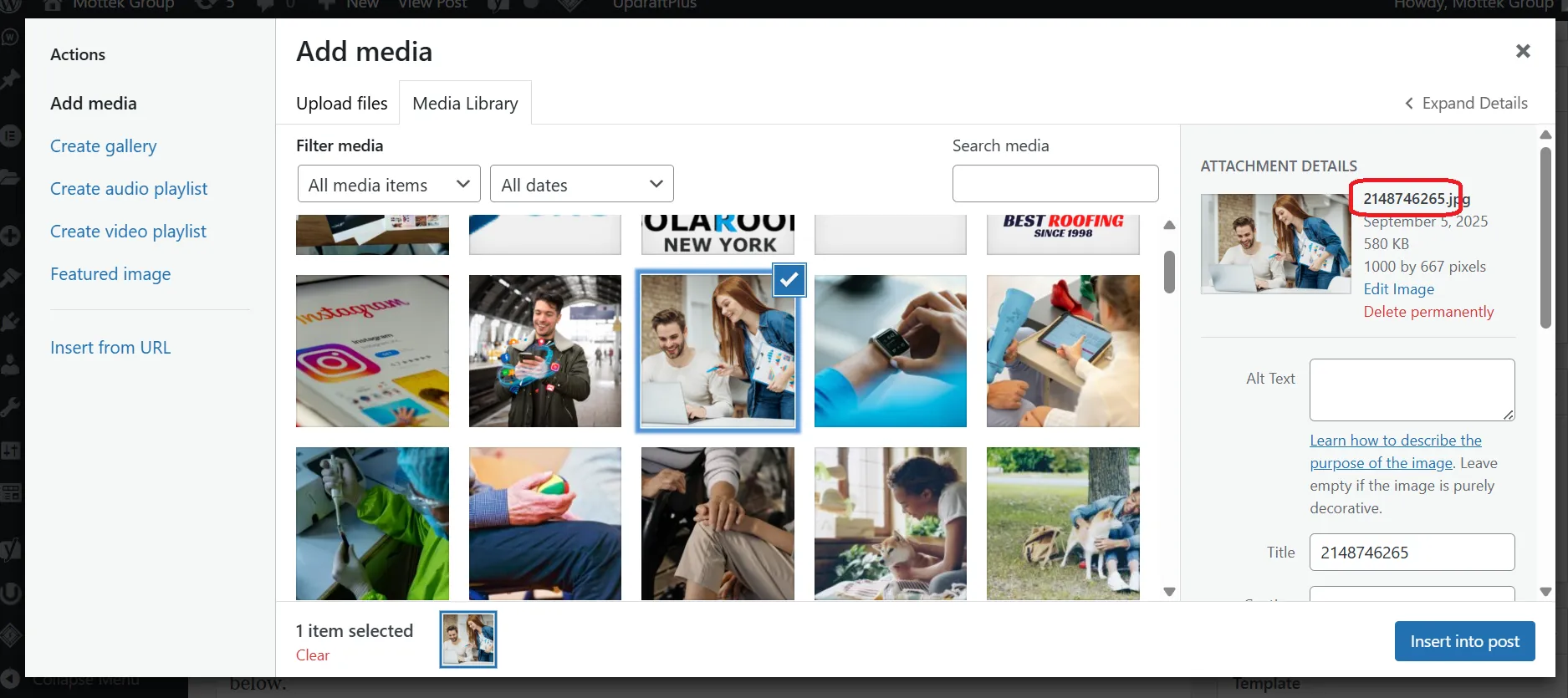
Right Practice
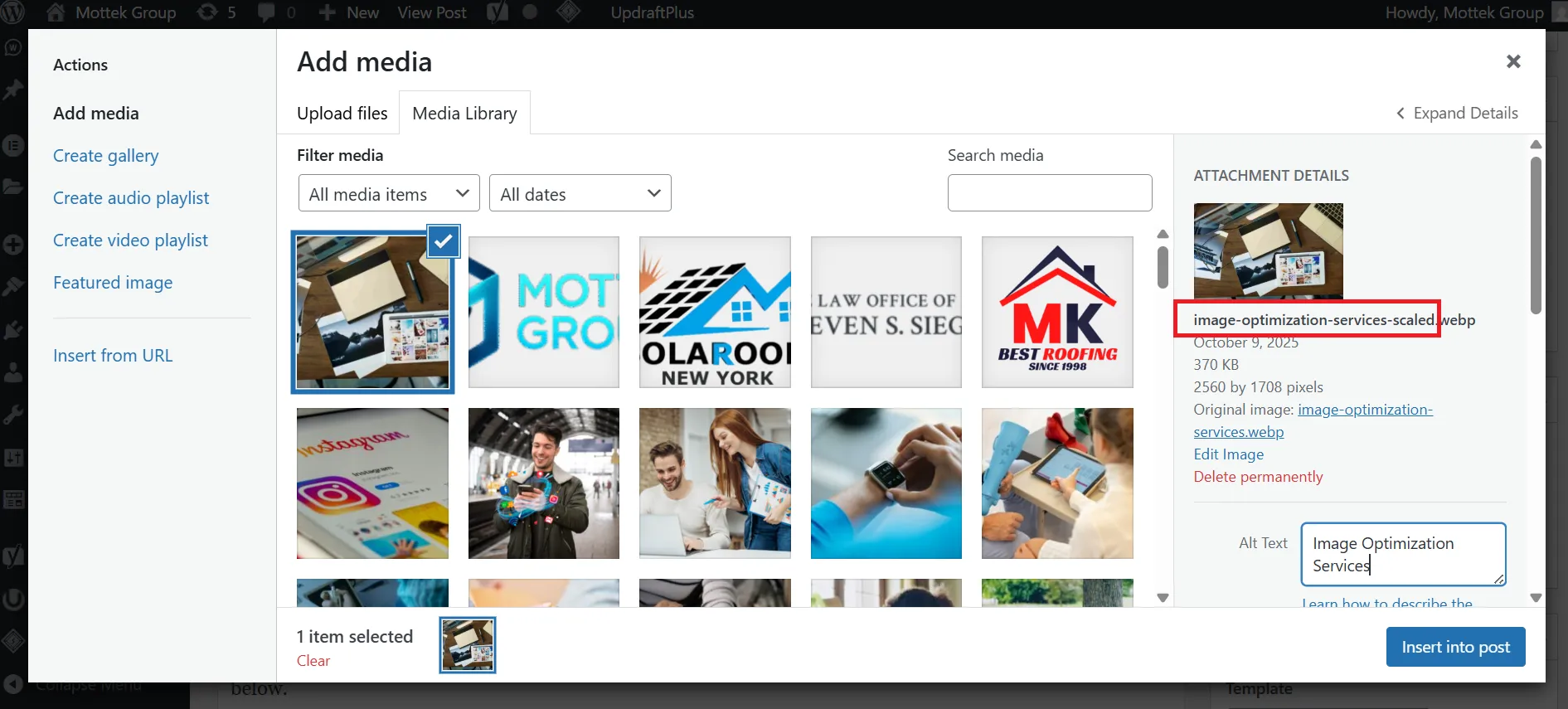
Image Title
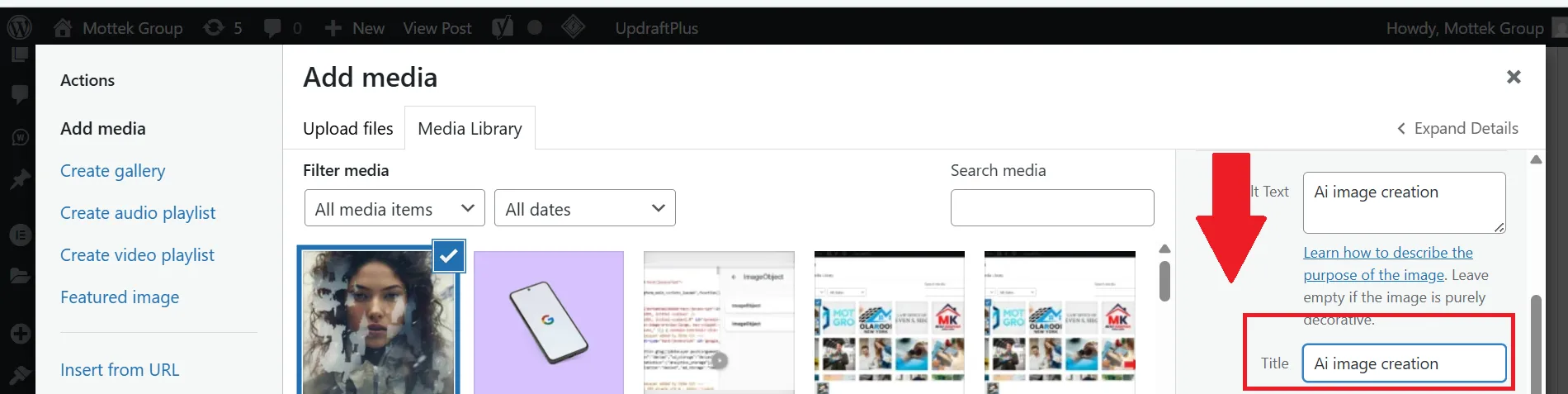
An image title is the text that shows up when a user hovers their mouse over an image. Though this text enhances the user experience by providing a brief description about the image, it has no particular significance in SEO ranking.
It is imperative to differentiate between the title attribute and alt text. In fact, alt text is for search engines and accessibility. However, the title attribute is for enhancing user experience.
Image Alt Tag
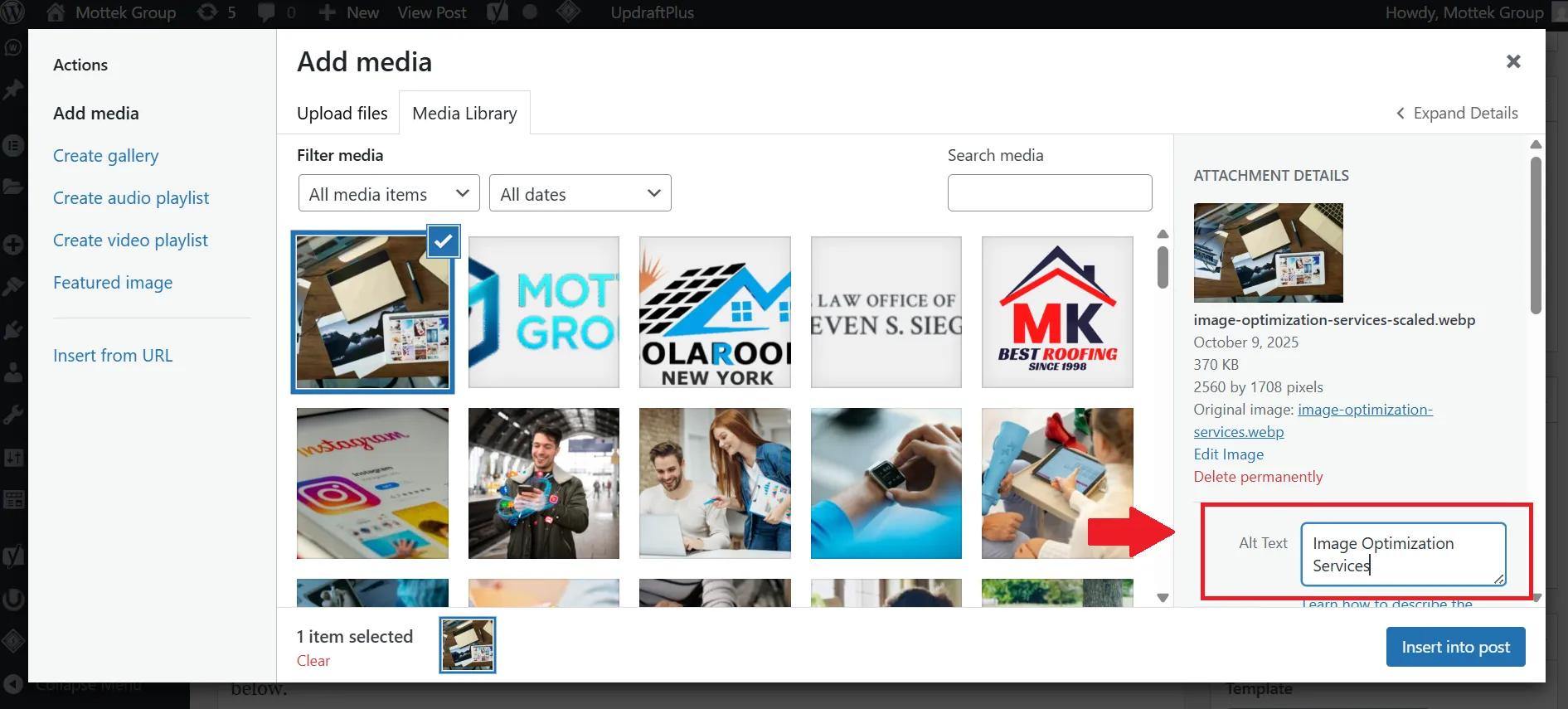
Image alt text is one of the most important elements for image optimization. While offering a dual purpose, Image alt tags help search engine crawlers to understand images and make content accessible to users with visual impairment.
Follow these best practices to write an alt text:
- The description should be accurate and not overly difficult
- Try to write alt text under 125 characters as some screen readers cut off the description beyond this length.
- Avoid using words like image of or picture of as screen readers already indicate that the element is an image. So, it is better to avoid redundancy.
- Always use keywords naturally instead of stuffing them when they are irrelevant to the context.
- As alt text is specially for visually impaired individuals, always write descriptions keeping those in mind who can’t see it.
Image Size and Resolution
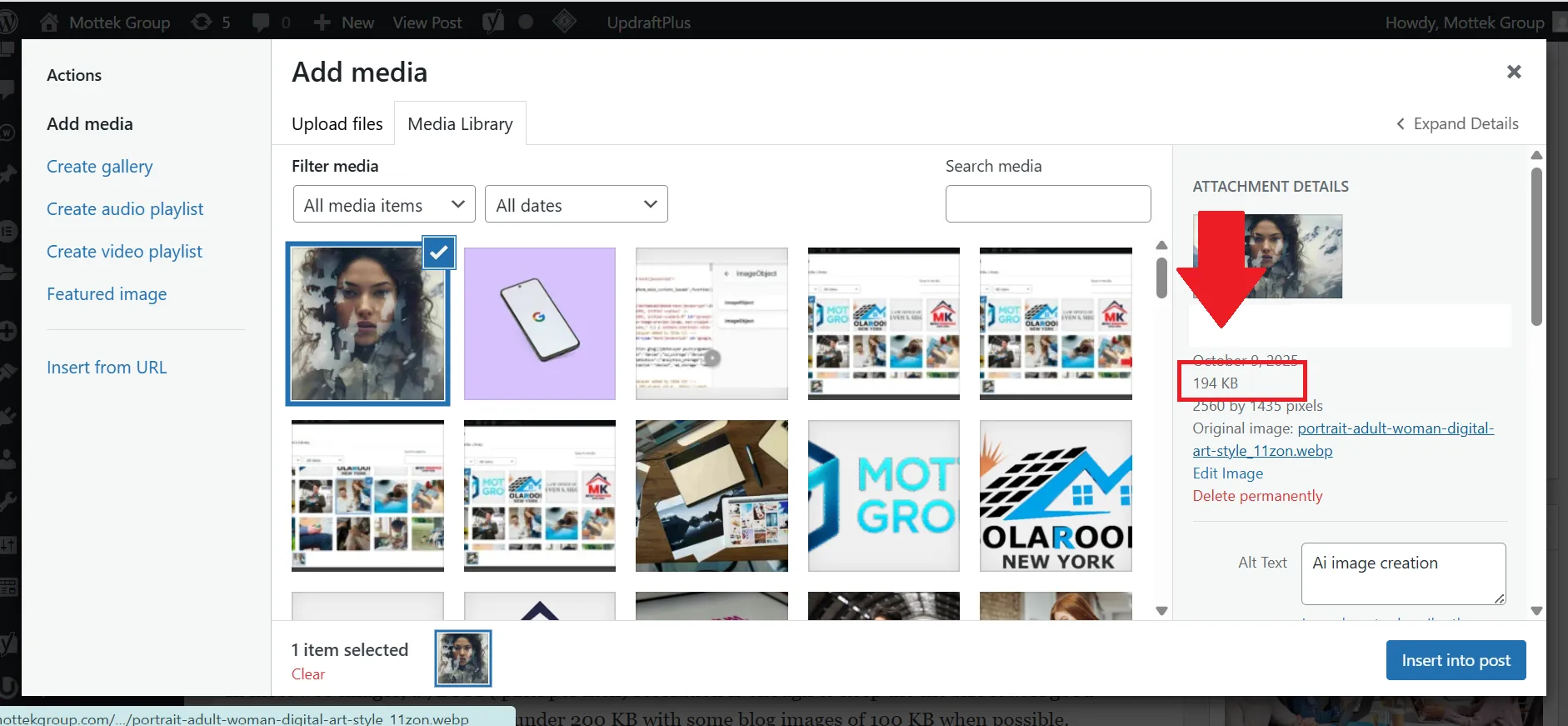
Optimizing size and resolutions of images speeds up the load times without compromising on quality. It is important to avoid uploading large size images. For example, uploading a 2000 px wide image into a 500 px container wastes the bandwidth and slows down the site unnecessarily.
In most web images, a 72 PPI ( pixel per inch) resolution is enough to keep the file size low. A good approach is to keep the file sizes under 200 KB with some blog images of 100 KB when possible.
Image Format
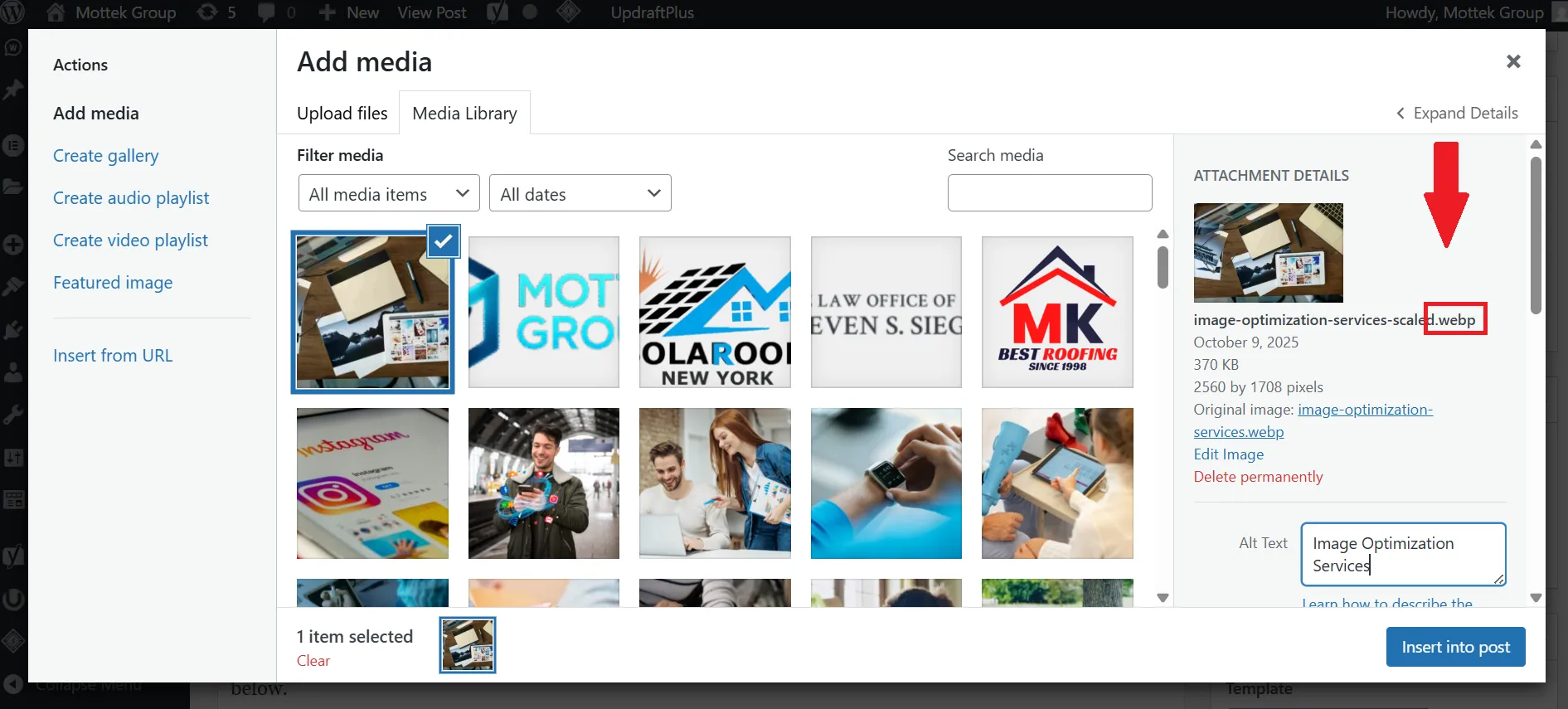
It is important to choose the right Image format to balance the quality and performance. For example,
- JPEG is the best option for photos. It significantly reduces the size of the image but also compromises the quality at times.
- PNG format is great for logos and icons with transparent backgrounds. Moreover, they use lossless compression that preserves the quality but are of a larger size.
- WebP/AVIF are modern and versatile formats that offer high compression with better quality. AVIF can be up to 65% smaller than JPEG.
- SVG are vector based, scalable, and lightweight. This format is perfect for icons and illustrations.
Image Schema Markup
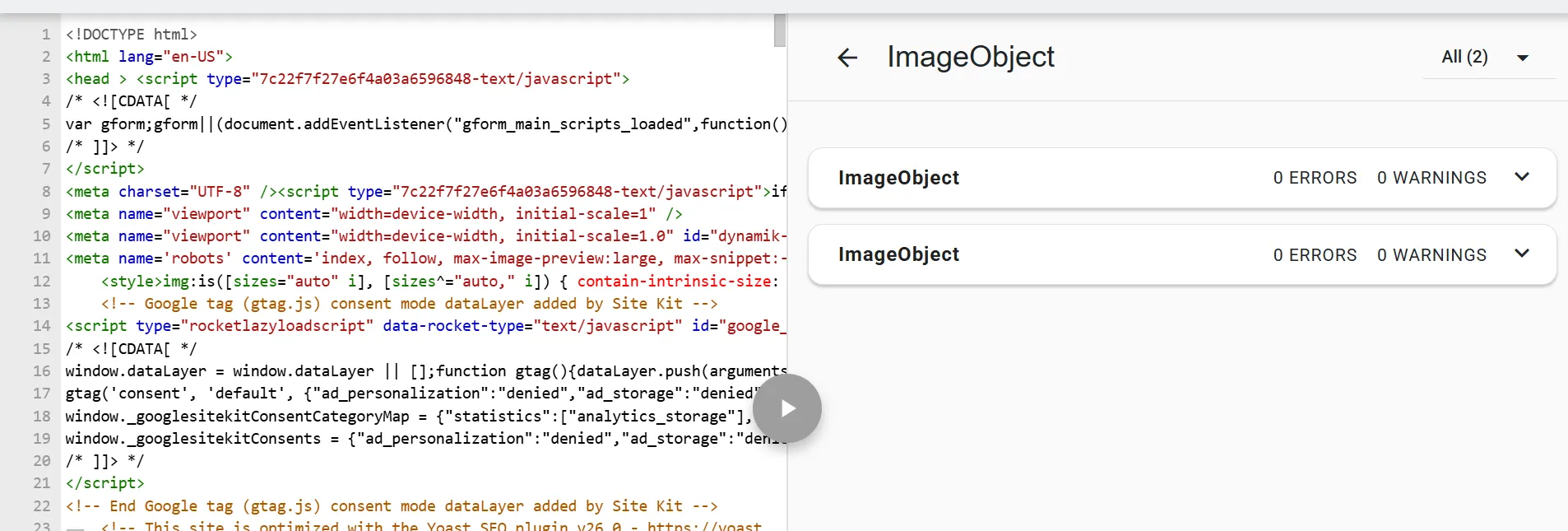
Schema adds structured data that helps search engines understand images in context. For example, marking up a product image with a product schema means connecting it with its price, brand, and name. It makes it eligible for optimized snippets and carousels. It is recommended to use JSON-LD for easier implementation and maintenance.
Image Geotagging
Geotagging is used to add location data like latitude and longitude in an image’s meta data. It helps improve local search rankings and enhance a business’s Google profile visibility. It is specifically useful for businesses with physical locations.
Image Sitemap
An image sitemap helps ensure if search engines can find and index a certain image even the ones loaded with JavaScript. It can be a separate file or integrated into your existing sitemap. Plugins can automate updates for large sites.
Responsive Images
Responsive images ensure the right version loads for a specific device.
- Srcset lists different image files with their widths.
- Sizes guide the browser on which one to use.
This improves page speed and saves bandwidth. This is especially important for mobile.
Caching & Browser Hints
- Caching stores copies of images for faster repeat visits.
- Preloading is about prioritizing images like hero banners
- Lazy loading delays non-visible images until users scroll to them.
All of these aspects improve initial load times and user experience.
Image Duplication
Duplicate images aren’t penalized, but they can:
- Confuse search engines on which page to prioritize.
- Reduce content uniqueness and SEO value.
Where possible, use original images instead of repeating the same stock visuals.
Using Images from Other Websites
Most images available on the internet have a copyright. One can only use them if it’s stated clearly for everyone to use. If one uses unlicensed images on their website, they may have to face legal issues and even lower trust signals in search engines. To avoid all such problems. It is advised to cling to:
- One’s own original photography
- Licensed stock pictures.
- Common images with correct attribution
Broken Images
Never use broken links as they can hurt SEO in many ways.
- Users get frustrated if they land a broken link that increases bounce rates.
- Waste crawl budget on the files that don’t exist.
- SEO value decreases from alt text and indexing opportunities
Always audit sites regularly to fix or replace broken links.
Blurry Images
If an image is blurred or poorly compressed, it shows a low quality signal to both users and search engines. It is advised to ensure balance between size and clarity of the image. This way one can maintain a professional look and fast load times.
Use of AI images on Websites

In 2025, AI has entered every field of life. Many people ask if AI generated images can be used on websites or do they affect the SEO. Google has clearly mentioned that using AI images do not cause any penalty or impact SEO negatively. Where one gets an image from is itself not a ranking factor. However, the image’s quality and how helpful it is for users, relevance to users and overall content on the page matter. All what’s an image is required to be aligned with Google’s Helpful Content and EEAT principles.
Uses of AI in real time
- Rapid prototyping allows marketers to quickly test various visual concepts for creating ad campaigns. .
- AI can create unique visuals tailored to a specific article that helps avoid overused stock photos.
- AI tools can be used to maintain visual consistency. It generates a variety of images that all align with a brand’s style and color palette.
Ethical Considerations with the Use of AI
With all its benefits, use of AI also poses a lot of ethical considerations on its users.
- Copyright & Training Data:
AI learns from existing copyrighted books, art, and articles online which are often copyrighted. Using this material without permission can lead to legal trouble.
- Transparency & Trust:
If people can’t tell the difference if an image is created by humans or AI, it can be misleading and impact trust.
- Bias & Accountability:
If an AI is trained on biased information. For example it favors one group of people over another then its outputs will also be biased and unfair.
Final Words
Images play a great role in the site speed. If it takes a long time to load then people will not stay and are less likely to engage. As a result, the website will not rank on search engines. By putting a little effort in optimizing images can make a site more engaging and also easier to search. New tools like Google lens and Circle Search provide brands a chance to become more visible if they make their visual assets more search friendly. In this way, brands can attract more traffic and engagement. Very little changes in the image SEO strategy can make a great difference!