
Have you ever looked at a URL and wondered if the words inside it still matter for SEO?
A website’s structure starts with its URL. It works as the page’s address and also gives both users and search engines a clear hint about what the page is about. With AI-driven search and smarter language processing, many marketers question the value of keywords in URLs. While keywords here do not carry the same weight as strong content or well-written title tags, they still play a role.
Data shows that pages with a target keyword in the URL see around 45% higher click-through rates than pages without one. This shows that clean, readable URLs influence user trust and clicks, even if their ranking power is now more supportive than central.
How Search Engines Read and Understand URLs
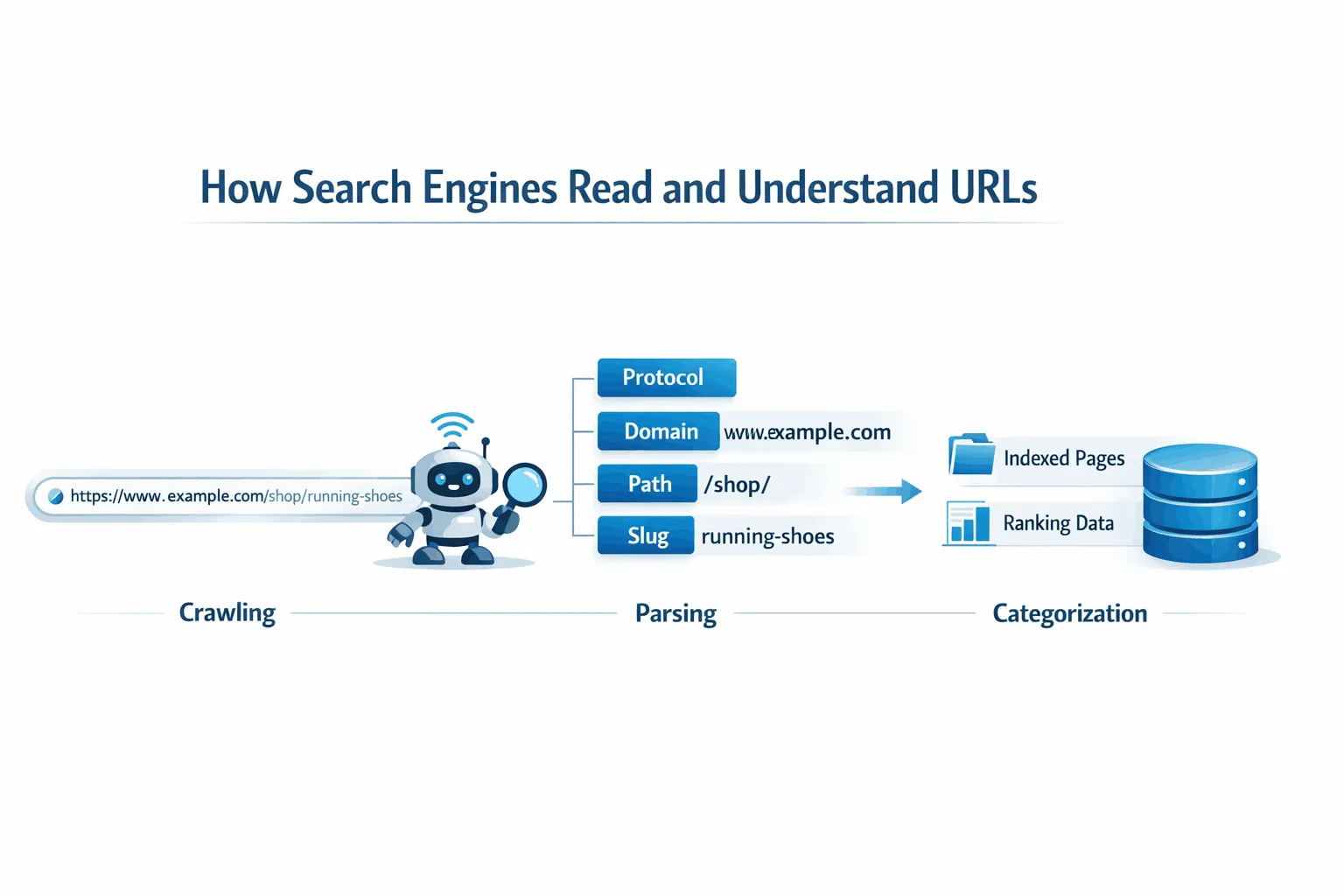
When a search engine finds a URL, it processes it in steps to understand what the page represents. This includes crawling the URL, breaking it into parts, and assigning meaning to each section. For this to work properly, the URL must follow accepted technical standards.
Googlebot separates a URL into the protocol, domain, directory path, and page slug. If the structure is unclear or non-standard, crawlers can waste time on invalid paths, which affects indexing efficiency.
Technical Rules That Shape URL Parsing
Search engines rely on clean formatting to avoid misreading URLs. Characters such as spaces, symbols, and non-ASCII text must be encoded so servers and crawlers can interpret them correctly.
For websites targeting multiple regions or languages, UTF-8 encoding helps search engines recognize localized terms more accurately.
Another important point is the use of fragments, identified by the # symbol. Google generally treats everything after this symbol as part of the same page, which means fragments do not create separate indexable URLs. For single-page applications, the History API allows developers to generate clean URLs that search engines can crawl as individual pages.
How Search Engines Split URL Words
Once a URL is crawled, search engines break the page slug into readable words. This process depends heavily on how those words are separated.
Hyphens are the preferred separator because search engines read them as spaces. Other separators can reduce clarity and weaken how the URL is interpreted.
| Character | Interpretation | SEO Impact |
| Hyphen (-) | Space / Word separator | High (Preferred standard) |
| Underscore (_) | Word joiner | Low (Harder to interpret) |
| No separator | Single token | Low (Difficult to parse) |
| Percent encoding (%20) | Space | Neutral (Poor readability) |
Why URL Word Separation Matters
A URL such as example.com/red-running-shoes is easy for search engines to understand as three distinct terms. If the same phrase is written with underscores or no separators, the algorithm may treat it as one combined word. This reduces clarity and weakens the relevance signal tied to search queries.
Clean, readable URLs help search engines interpret intent and help users trust what they are about to click. That balance still plays a role in search performance today.
Do Keywords in URLs Help SEO?
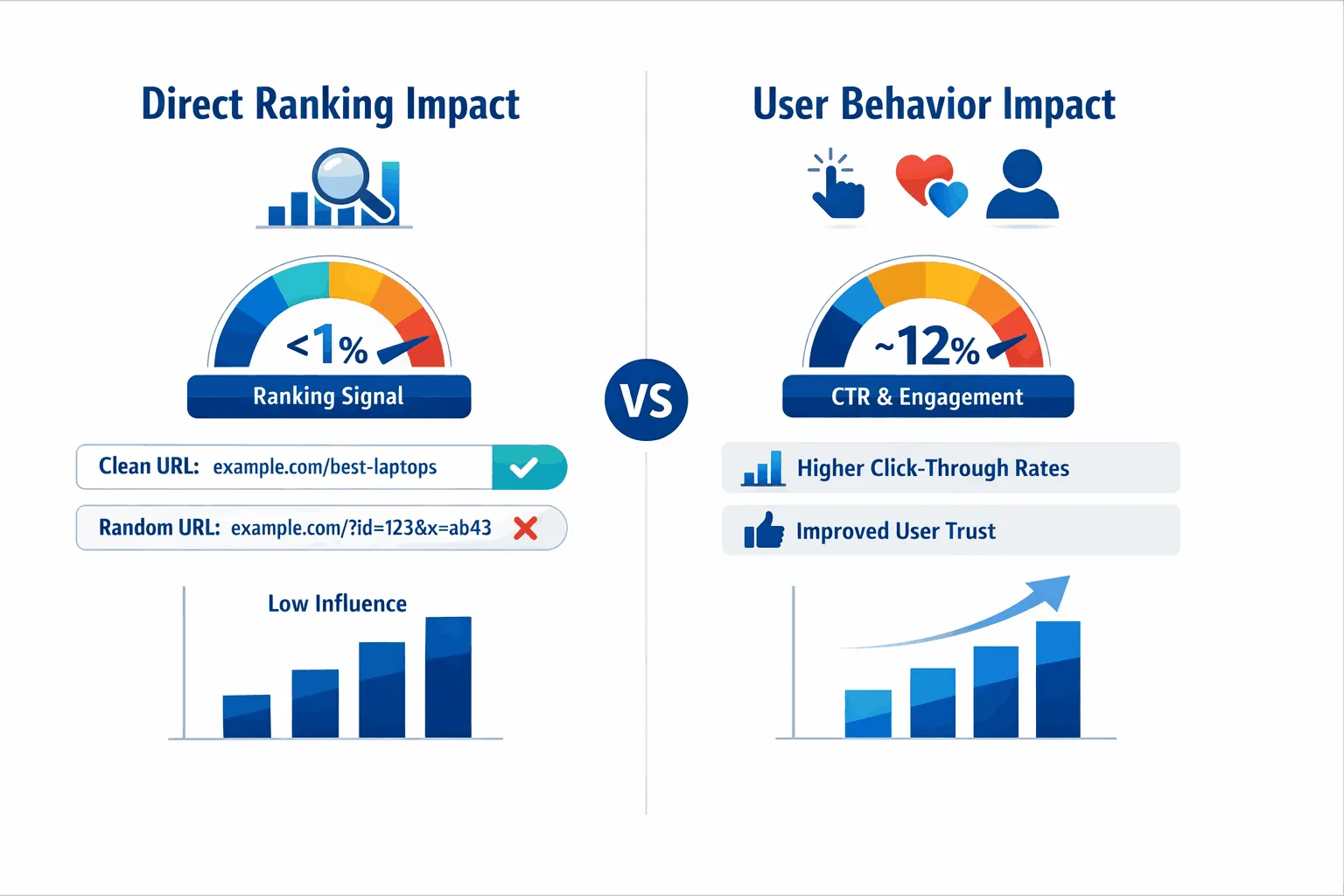
Do keywords in URLs still matter for SEO? Yes, they do, but their role is supportive rather than decisive. Keywords in URLs act as a light ranking signal and a strong user experience cue. They cannot fix weak content or low authority, but they help clarify what a page is about for both search engines and users.
How Keywords Support Relevance
Keywords in a URL send a consistent relevance signal. When someone searches, Google checks for matches across many on-page elements, including the URL. While the URL itself carries very little direct ranking weight and sits within a group of factors that make up a small portion of the overall algorithm, it still matters for completeness.
This signal is especially useful early in the indexing process. A clear, descriptive URL gives search engines immediate context about the page’s topic before the full content is processed. That early clarity supports accurate categorization and discovery.
Why User Behavior Matters More
Today, the biggest benefit of keywords in URLs comes from how people respond to them. A readable URL sets expectations. It tells users what they will get before they click.
For example, a URL like example.com/how-to-bake-sourdough
feels clear and trustworthy, while something like example.com/id=928374 raises questions. Clear URLs earn more clicks, and user engagement has a measurable influence on rankings. Because click-through rate and interaction signals carry more weight than URL keywords alone, the indirect value of a well-written URL often outweighs its direct SEO impact.
In short, keywords in URLs help most by improving clarity, trust, and clicks, which search engines continue to pay close attention to.
Where Keywords in URLs Actually Help
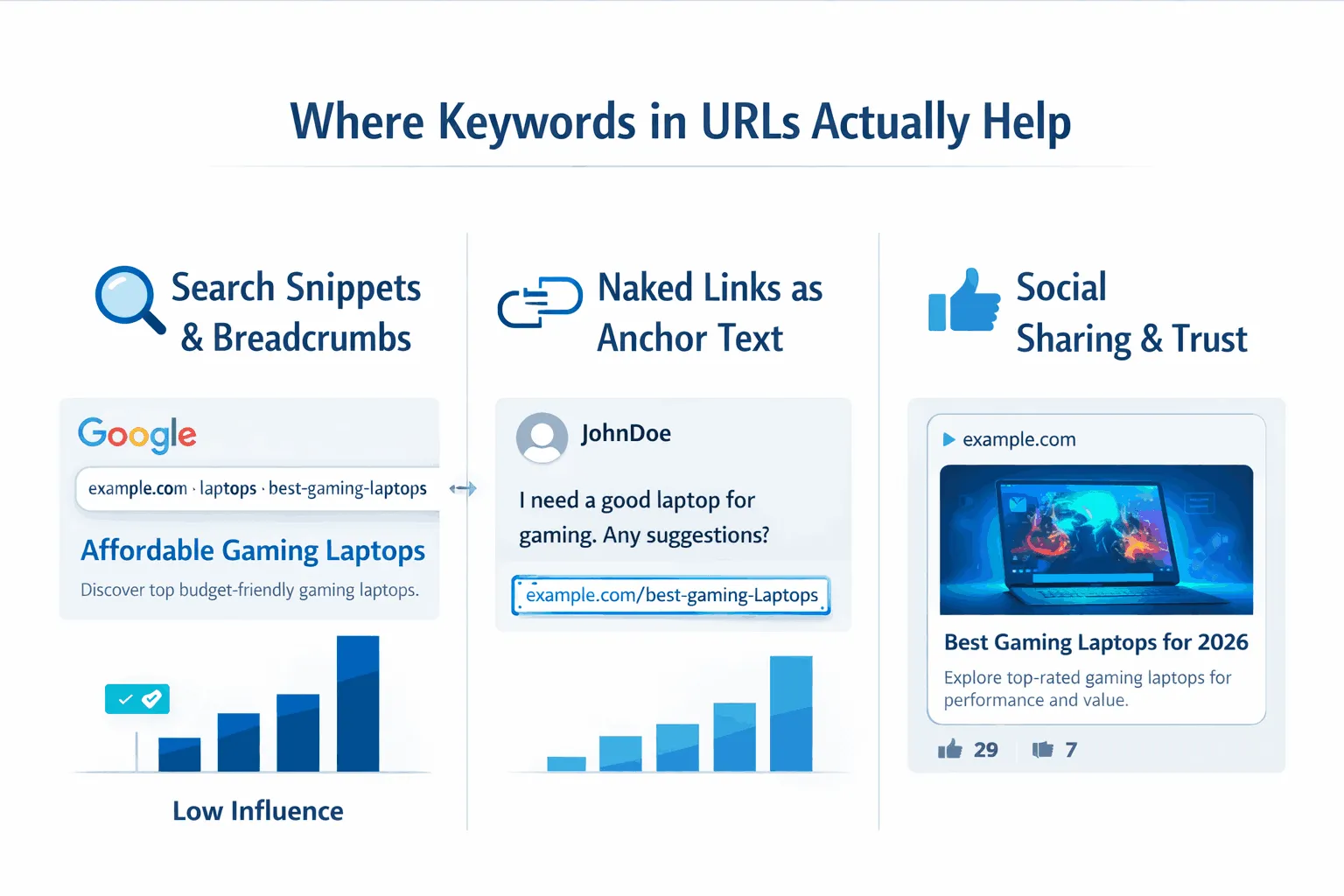
Keywords in URLs do more than offer a small ranking lift. Their real value shows up in how content is presented, shared, and trusted across different platforms.
Search Snippets and Breadcrumb Paths
In many search results, especially on mobile, Google does not show the full URL. Instead, it displays a breadcrumb path. This path is often built from the folder names and keywords used in the URL.
For example, a structure like example.com/pets/dogs/training can appear as: Pets > Dogs > Training
This gives users instant context. They can see where the page sits within the site and what topic it covers before clicking. Clear breadcrumbs also reinforce topical relevance, which helps both usability and visibility.
Keywords as Natural Anchor Text
When a link is shared without a custom anchor, the URL itself becomes the clickable text. This happens often in forums, chat apps, and social posts.
A readable URL like example.com/best-gaming-laptops acts as a built-in description of the page. It tells users what to expect and gives search engines meaningful context through the link itself. In contrast, random strings add no value in these “naked link” situations.
Social Sharing and User Trust
Clear URLs build confidence. On platforms such as Reddit, X, and LinkedIn, people are cautious about clicking links that look unclear or shortened without context.
A keyword-based URL reduces hesitation because it explains its purpose at a glance. When users feel comfortable clicking and sharing a link, engagement increases. Over time, this activity supports faster discovery, stronger authority signals, and better overall performance in search.
What Keywords in URLs Do Not Do
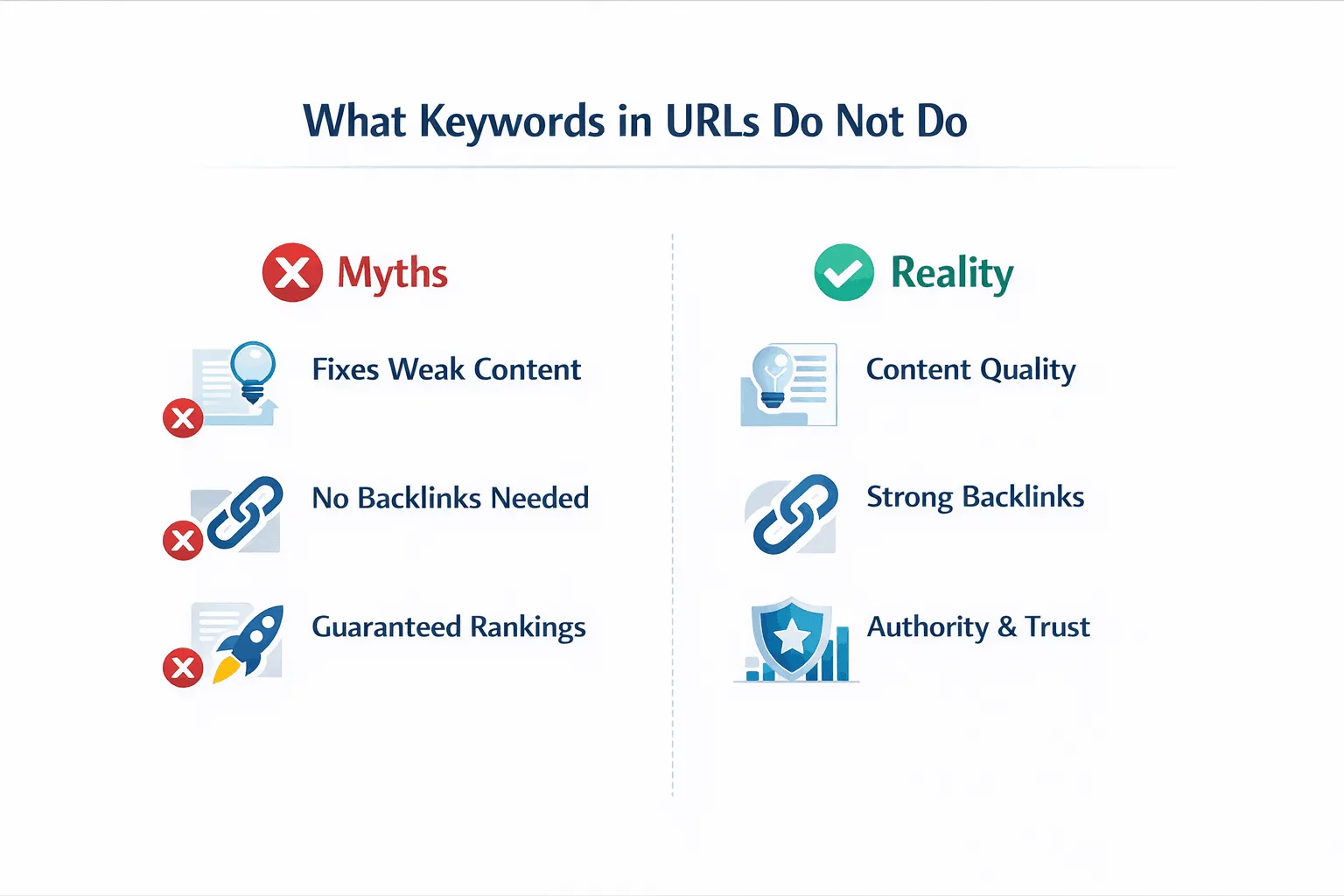
Keywords in URLs help with clarity and clicks, but they have clear limits. Understanding these limits keeps teams focused on the work that actually moves rankings.
URLs Cannot Fix Weak Content
A clean, keyword-focused URL cannot compensate for poor content. Search engines place the highest importance on content that satisfies user intent. Pages that feel shallow, repetitive, or copied are unlikely to perform well, even if the URL looks perfect.
Google evaluates the meaning and usefulness of the entire page. If a URL promises value that the content does not deliver, that mismatch is easy for search systems to detect.
URLs Do Not Replace Backlinks
Strong backlinks from trusted websites still matter far more than URL structure. A site with limited authority and few external references will struggle to compete, even if its URLs follow every best practice.
URL optimization works best as a technical foundation. It supports visibility, but it does not replace the need for credibility built through links and mentions from relevant sources.
URLs Do Not Guarantee Rankings for Broad Keywords
Using a short, high-volume keyword in a URL does not secure top rankings on its own. Search engines now favor depth, context, and clear intent.
Pages perform better when URLs reflect specific topics rather than broad terms. Longer, descriptive phrases aligned with real user questions tend to work better than generic keywords with heavy competition.
URL SEO Best Practices (Professional Standard)
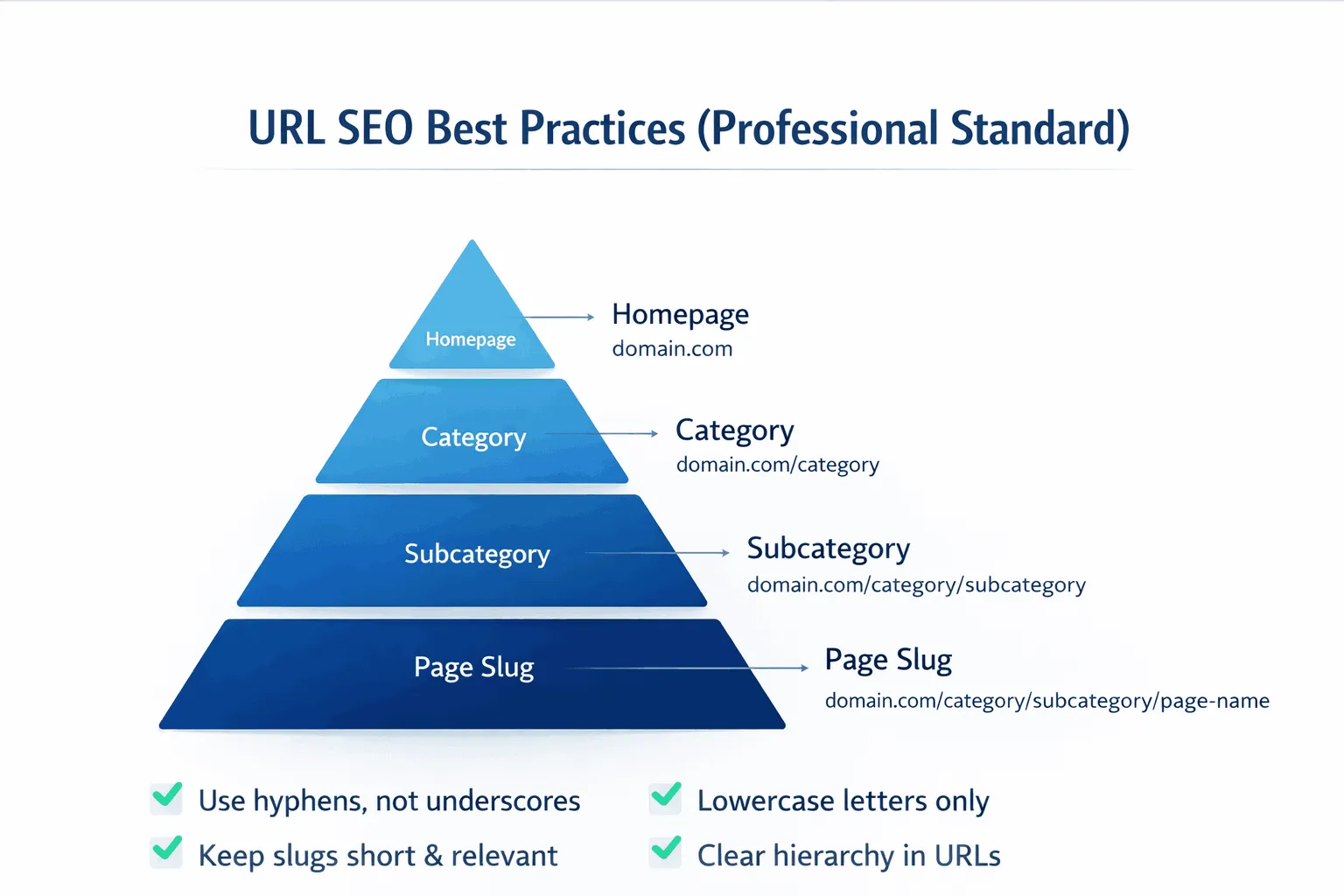
A strong URL structure is built around clarity, readability, and a clean hierarchy. When done right, it supports indexing, usability, and long-term site health without adding technical debt.
Keep URLs Simple
Simple URLs are easier for people to read and easier for search engines to crawl. Overly complex URLs, especially those filled with parameters, can create duplicate paths to the same content. This wastes crawl resources and can slow down indexing.
Practical rules to follow:
- Avoid session IDs
Session-based URLs generate multiple versions of the same page. Cookies are the safer option. - Limit URL parameters
When parameters are necessary, use standard formatting with equal signs and ampersands so crawlers can interpret them correctly. - Use lowercase letters only
URLs are case-sensitive. Mixing uppercase and lowercase can cause the same page to be indexed more than once.
Build a Clear Hierarchy
Well-structured URLs reflect how a site is organized. The most reliable approach follows a pyramid-style layout. The homepage sits at the top, followed by categories, subcategories, and then individual pages.
This structure makes navigation easier and helps search engines understand how pages relate to one another.
| URL Segment | Purpose | Professional Example |
| Domain | Brand identity | huel.com |
| Category | Topical hub | /products/ |
| Subcategory | Niche grouping | /protein-powder/ |
| Page slug | Specific intent | chocolate-flavor |
Get Slug Length and Keywords Right
Short, descriptive slugs perform best. While there is no strict limit, URLs around 50 to 60 characters are less likely to be cut off in search results.
Include the primary keyword once, and place it naturally within the slug. Secondary keywords are fine if they add clarity, but readability should always come first. A URL should explain the page at a glance without feeling forced or cluttered.
Keyword Stuffing in URLs: Why It Backfires
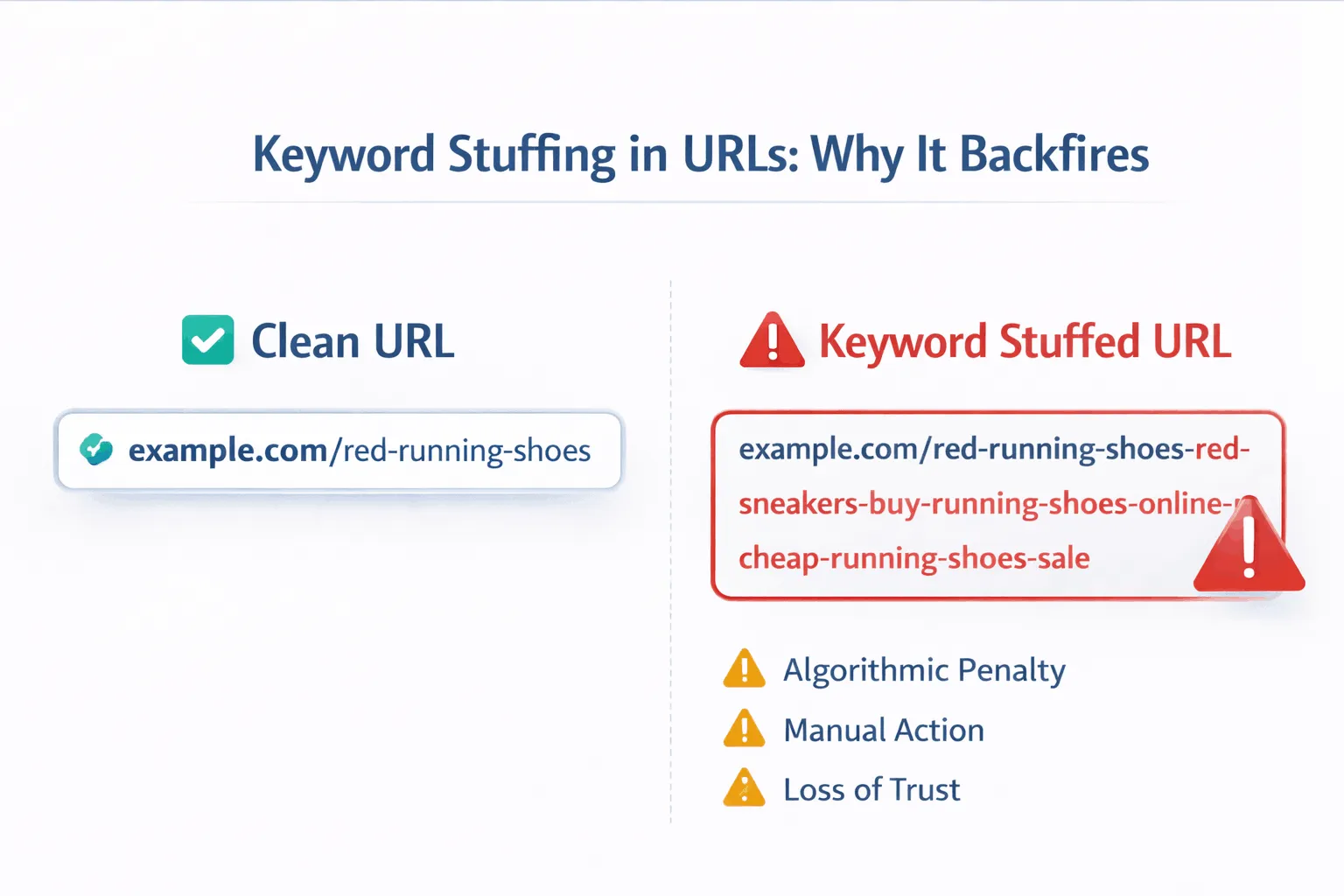
Keyword stuffing in URLs happens when the same terms are repeated excessively in an attempt to boost rankings. This tactic is considered spam by Google and can lead to serious consequences.
Examples of Overstuffed URLs
A common mistake is repeating keywords across multiple folders and the page slug, like:
example.com/running-leggings/womens-running-leggings/best-womens-running-leggings-for-running
This does not help users understand the page. Instead, it looks spammy, reduces trust, and can increase bounce rates because visitors associate these URLs with low-quality or unsafe sites.
Risks of Keyword Stuffing
Here are some risks of keyword stuffing:
- Algorithmic Penalties
Google’s algorithms, especially since the Panda update in 2011, are designed to detect over-optimization. Stuffed URLs may be devalued and rank lower than cleaner alternatives. - Manual Actions
If a human reviewer identifies blatant stuffing, the page, or even the whole site, can be removed from search results until it is fixed. - Damage to Brand Trust
In the era of E-E-A-T (Experience, Expertise, Authoritativeness, and Trustworthiness), a spammy-looking URL directly undermines credibility. Even a well-built site can lose user trust if URLs appear manipulative.
Should You Change Existing URLs to Add Keywords?
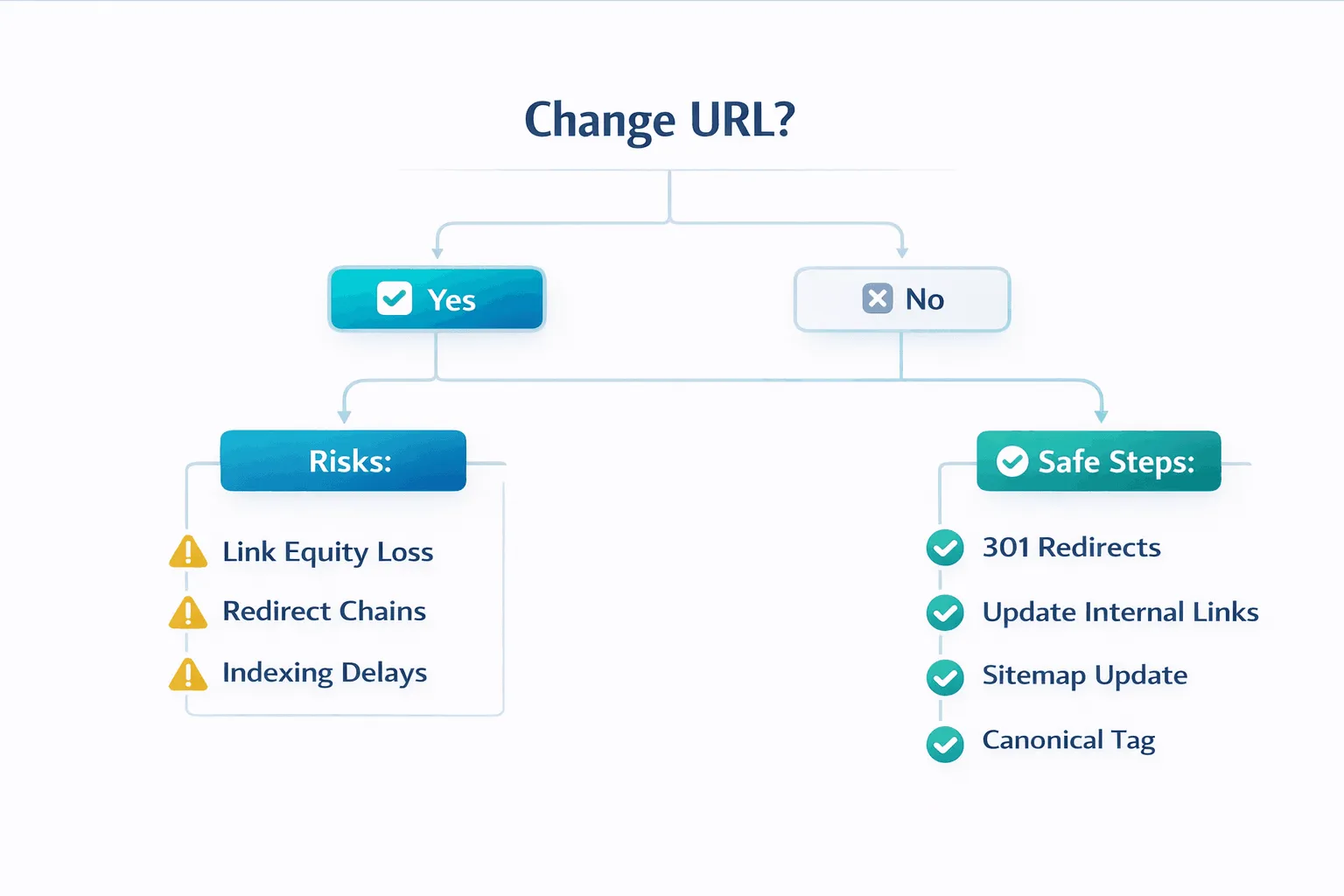
Deciding whether to update old URLs to include keywords is a common dilemma in SEO. The potential ranking gain is small, less than 1%, but the risks of changing URLs can be significant.
The Risks of Changing URLs
Updating a URL is essentially moving the page’s “home.” If handled poorly, it can cost existing authority and traffic.
- Link Equity Loss: While 301 redirects pass most PageRank, some link value may be lost.
- Redirect Chains: Multiple redirects slow page load and can confuse crawlers.
- Indexing Delays: Search engines take time to discover the new URL, often causing temporary traffic drops.
Safe Practices When Changing URLs
If a URL change is unavoidable, follow these steps to reduce risks:
- Map Every Page: Keep a spreadsheet linking old URLs to their new versions.
- Use 301 Redirects: Permanent redirects pass ranking signals. Avoid 302 redirects.
- Update Internal Links: Point all internal links directly to the new URL.
- Submit an Updated Sitemap: Notify Google of the changes.
- Set Canonical Tags: Ensure the new page points to itself as canonical to consolidate signals.
When to Keep Existing URLs
Most of the time, it’s better to leave URLs alone, especially if the page already ranks and receives traffic. Existing backlinks and historical authority usually outweigh the marginal benefit of adding a keyword.
How URLs Compare to Other SEO Factors
| SEO Factor | Algorithmic Weight | Purpose |
| Content Quality / Intent | ~23% | Fulfilling user needs comprehensively |
| Meta Title Tag | ~14% | Primary headline and relevancy signal |
| Niche Expertise (E-E-A-T) | ~13% | Proving authority in a field |
| Searcher Engagement | ~12% | Measuring CTR, dwell time |
| Backlinks | ~13% | External validation of trust |
| H1 / Header Tags | <1% | Page structure and hierarchy |
| URL Keywords | <1% | Minor relevancy signal and UX aid |
URLs are important for clarity and technical health, but other factors like content and backlinks have far greater influence on rankings.
Keywords in URLs for Different Page Types
Choosing the right URL structure depends on the type of page and its purpose, what works for a blog may not suit a product page or local landing.
Ecommerce Product Pages
- Goal: Unique, descriptive URLs for similar products.
- Example: example.com/hiking-boots/mens/salomon-x-ultra-4
- Avoid: Dynamic parameters like ?product_id=12345.
Local SEO Landing Pages
- Goal: Reinforce “Who, What, Where.”
- Example: stevesplumbing.com/houston/drain-cleaning
- Blueprint: brandname.com/city/service or brandname.com/service-city.
Informational Blog Posts
- Goal: Reflect long-tail keywords, keep URLs concise.
- Example: Title: “10 Strategies to Remove Stains from Leather” → URL: example.com/remove-stains-leather
- Tip: Remove unnecessary stop words (a, the, in, with) for clarity.
Conclusion
Optimizing URLs is about clarity and user experience, not tricking search engines. While keywords in URLs carry minimal direct ranking weight, they influence user engagement, which affects up to 12% of ranking signals.
With semantic SEO and AI-driven search, URLs act as metadata markers that help search engines categorize content and display it in breadcrumbs and rich snippets. By keeping URLs simple, hierarchical, and hyphenated, marketers create a structure that benefits both users and search engines, making URLs a lasting asset rather than just a technical detail.